TL;DR
- Goodnotes is a strong all-round option if you want handwriting, PDF annotation, audio recording, AI capabilities, and study tools in one app. You can work in Notebooks, infinite Whiteboards, and pageless Text Documents, with access across iPhone, iPad, Mac, Android, Windows, and the web.
- CollaNote, Noteful, and Apple Notes are low-cost alternatives for Apple users; OneNote fits naturally into Microsoft 365; and Noteshelf 3 offers multilingual handwriting recognition. MyScript Notes is geared toward handwriting recognition, equations, and diagrams, while Kilonotes and Freenotes put more emphasis on visual and study-focused tools.
Notability is a popular note-taking app commonly used on iPad by both students and professionals. You can handwrite with an Apple Pencil, type notes, and import PDFs or lecture slides to annotate. It also supports audio recording with time-stamped transcripts, folders for organization, flashcards and quizzes for class notes, and AI summaries and chat.
It covers most of what you’d expect from an iPad note-taking app, but some limitations mean it won’t be the right fit for everyone:
- You can only use one template per note: Notability lets you customize the paper size, orientation, color, and template style, but you can’t combine styles in one note. For example, you can’t combine lined paper with a calendar template in the same note. This can be limiting for truly free note-taking.
- Editing tools for handwriting are limited: You can move, resize, rotate, restyle, and convert handwritten content in Notability. However, it doesn’t offer a handwriting reflow workflow that automatically rearranges handwritten words across lines when you resize a section.
- There’s no tabbed view for keeping several notes open: Notability lets you switch between notes with the Note Switcher and view two notes side by side with Multi-Note. But it doesn’t keep multiple open notes visible as tabs, so moving back and forth between several notebooks takes a few more steps.
- Backups don’t restore your folder structure: Notability can save copies of your notes to Google Drive, Dropbox, OneDrive, Box, or WebDAV. But if you need to restore those notes later, Notability won’t automatically recreate the folders they were originally organized in. You’ll have to rebuild that folder structure yourself.
The right alternative comes down to how you prefer to take notes and what you need beyond basic handwriting. In this guide, we compare the best Notability alternatives for handwriting, Apple Pencil use, PDF annotation, organization, AI and study tools, syncing, and pricing.
Let’s take a look, starting with Goodnotes.
1. Goodnotes
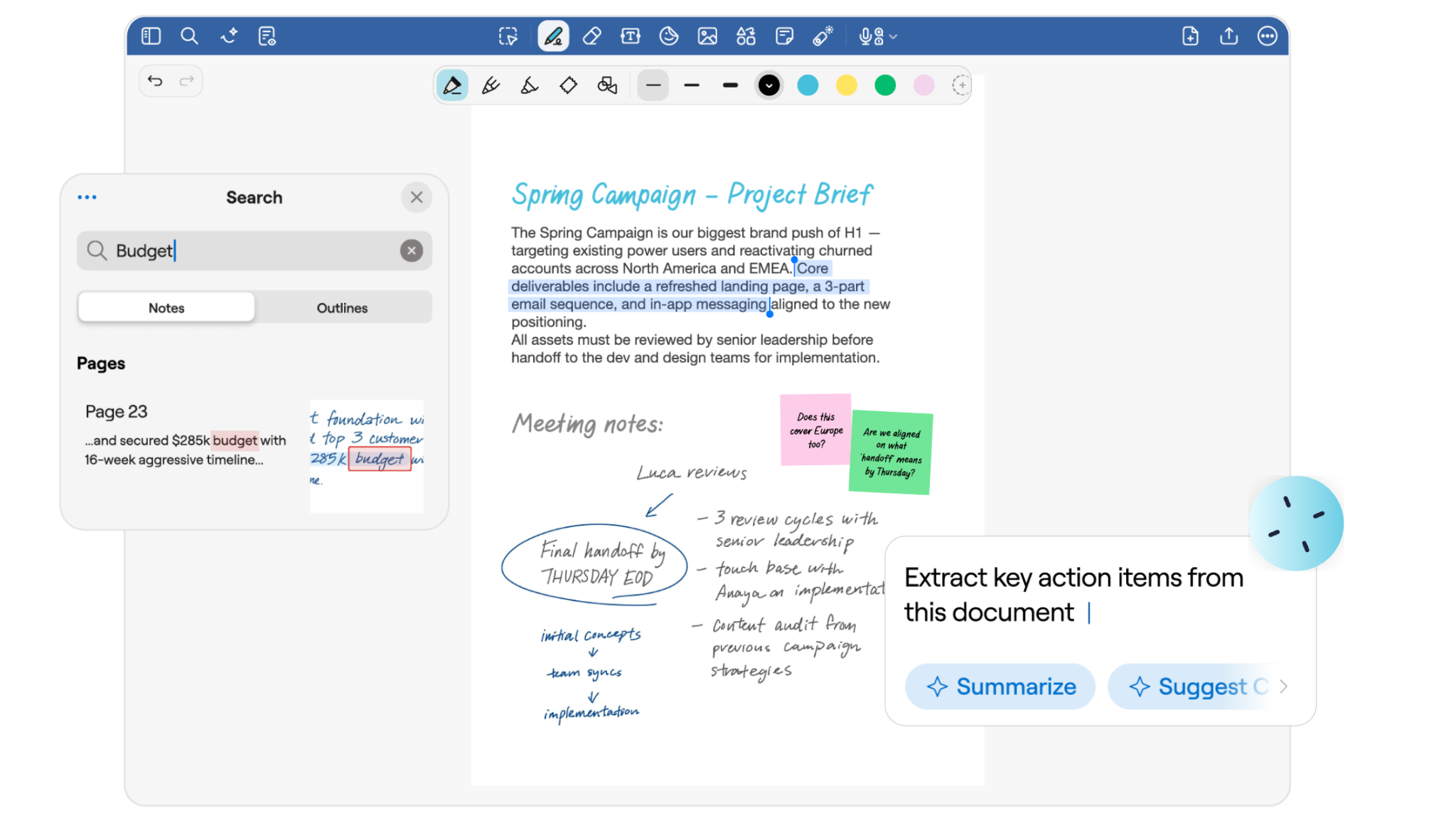
Goodnotes is a handwriting-first note-taking app that gives you three different ways to work. Notebooks are designed for handwritten and mixed-media notes, Whiteboards give you an infinite canvas for mind maps, diagrams, and visual thinking, and Text Documents provide a pageless format for typed notes.
Goodnotes supports pressure-sensitive writing and palm rejection. It can also recognize shapes, straighten lines, and let you move or resize handwritten content. Smart Ink gives you more control over what you’ve written. You can straighten handwriting, insert space between notes, or resize a section and let the words reflow across lines. Gestures such as Scribble to Erase and Circle to Lasso also make quick edits easier.
Goodnotes’ device partnerships add features such as press-and-hold erasing with Samsung’s S Pen and quick tool switching with the Lenovo Tab Pen Plus. Goodnotes also partners with HP, LG, ASUS, and Chromebook manufacturers—making it a great option across devices.
Key features:
- Smooth handwriting tools: Write with pens, pencils, and highlighters using a tablet stylus. Goodnotes supports handwriting-to-text conversion, handwritten spellcheck, customizable strokes, and pen gestures such as Scribble to Erase and Circle to Lasso.
- Smart Ink editing: You can straighten and align writing, insert extra space, resize handwritten sections, and have the writing reflow across lines without converting it to typed text.
- PDF annotation: You can import and annotate PDFs and add handwritten notes, highlights, typed text, drawings, and other markup directly to the page.
- Goodnotes AI: Search typed text, handwriting, PDFs, images, and diagrams, then use Goodnotes AI to summarize information, clarify concepts, generate quizzes, or help work through handwritten equations.
- Searchable notes: Search your library for handwriting, typed text, document and folder titles, outlines, and text inside supported PDFs and scanned documents, rather than manually opening notebooks page by page.
- Audio recording and synced notes: Record lectures, meetings, or conversations while you take notes. On supported Apple devices, Note Replay synchronizes the recording with your handwriting so you can return to the moment you wrote a particular note.
- Study tools: Turn notes into revision material with Study Sets and Smart Learn, which uses spaced repetition to adjust what you review. The Tape Tool lets you temporarily cover definitions, labels, formulas, or answers on the page and reveal them when testing yourself.
- Templates and notebook organization: Choose from different paper layouts and templates for notebooks, then organize notes into folders and sub-folders. You can also import your own PDF or image templates for notebook pages and covers.
- Cross-platform access: Use Goodnotes on Apple (iPhone, iPad, and Mac), Android, Windows, and the Web. Goodnotes Cloud provides full-library cross-platform sync on Pro, while iCloud can keep your Goodnotes library synchronized between supported Apple devices.
Pros and cons
Pricing
The Goodnotes Essential and Pro plans both offer a 7-day free trial, while the Teams plan includes a 30-day free trial. You can also add the AI Pass for $9.99/month to Essential or Pro to unlock the full AI experience. Goodnotes AI is included in the Teams plan.
2. CollaNote
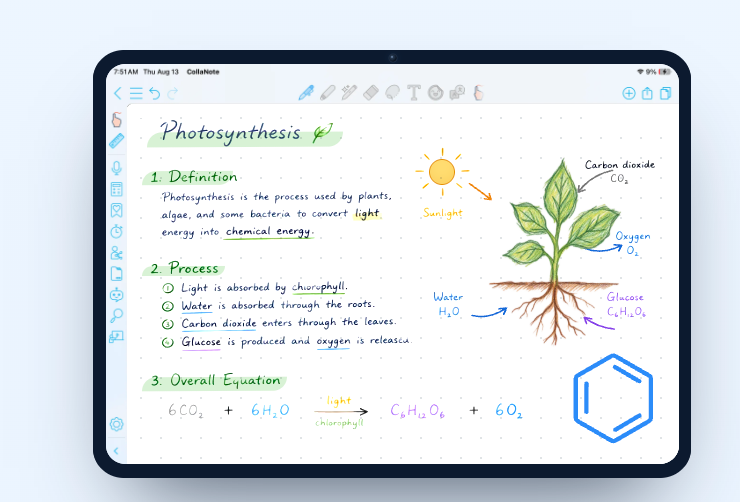
CollaNote is a note-taking app that supports handwritten notes, PDF annotation, audio recording, flashcards, and digital planners. It offers 25+ pens and brushes, handwriting stabilization, and Apple Pencil controls for a more customizable writing experience. You can also import PDFs, PowerPoint files, Word documents, and images. Its AI tools include document chat, handwriting assistance, and step-by-step math help, while iCloud backup keeps your notes synced across supported Apple devices.
Key features:
- Handwriting controls: Includes handwriting stabilization, shape recognition, lasso editing, rulers, and Apple Pencil shortcuts for faster editing.
- Audio-linked notes: Record audio while writing, then replay it alongside your handwritten notes and transcript.
- AI document tools: Ask questions about your notes or documents, get help with selected content, and use AI for handwriting and math support.
- Flashcards and study support: Build flashcards with text, images, and audio, or use existing study sets for revision.
- Templates and planners: Choose from 150+ paper templates and use built-in planners for schedules, deadlines, and tasks.
- Translation: Translate note content across 90+ languages inside the app.
- Library organization: Sort notes into folders, star important files, and use search, recents, history, and trash to manage your library.
Pros and cons
Pricing
CollaNote is a free Notability alternative for iPad, with Lifetime Premium priced at $13.90.
3. OneNote
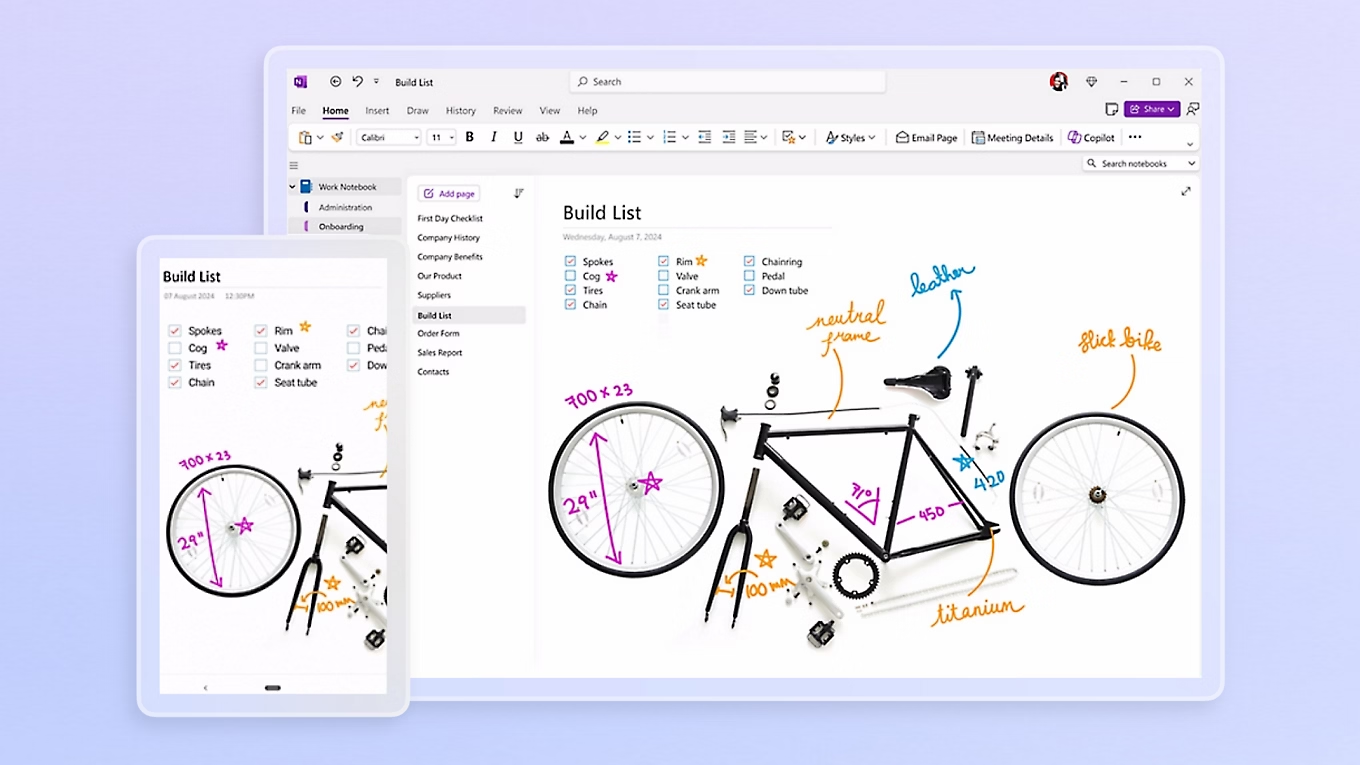
Microsoft OneNote is part of the Microsoft 365 ecosystem, and combines handwritten and typed notes on an open canvas. On iPad, you can write with Apple Pencil, highlight text, use drawing tools, and move handwritten content with the Lasso tool. You can also add typed notes, images, files, links, and tables. Notes are organized into structured notebooks, sections, pages, and subpages.
Key features:
- Audio recording: Record lectures, meetings, or explanations inside a note while you work.
- Search across notebooks: Search for words or phrases across your notebooks, or narrow results to a specific notebook or section.
- Tags and to-do items: Mark important text, questions, definitions, or tasks with tags to categorize key information and find those tagged items later.
- Mixed-media pages: Add tables, photos, links, files, and other content alongside handwritten or typed notes.
- Web Clipper: Save webpages, articles, screenshots, or selected sections of a webpage directly into a OneNote notebook for later reference.
- Math tools: Math Assistant can solve equations, plot graphs, and provide step-by-step guidance, although availability depends on the platform and Microsoft 365 plan.
Pros and cons
Pricing
OneNote is free to download and use, while paid features come through Microsoft 365 subscriptions. Here’s a look at the Microsoft 365 individual plans:
4. Noteful
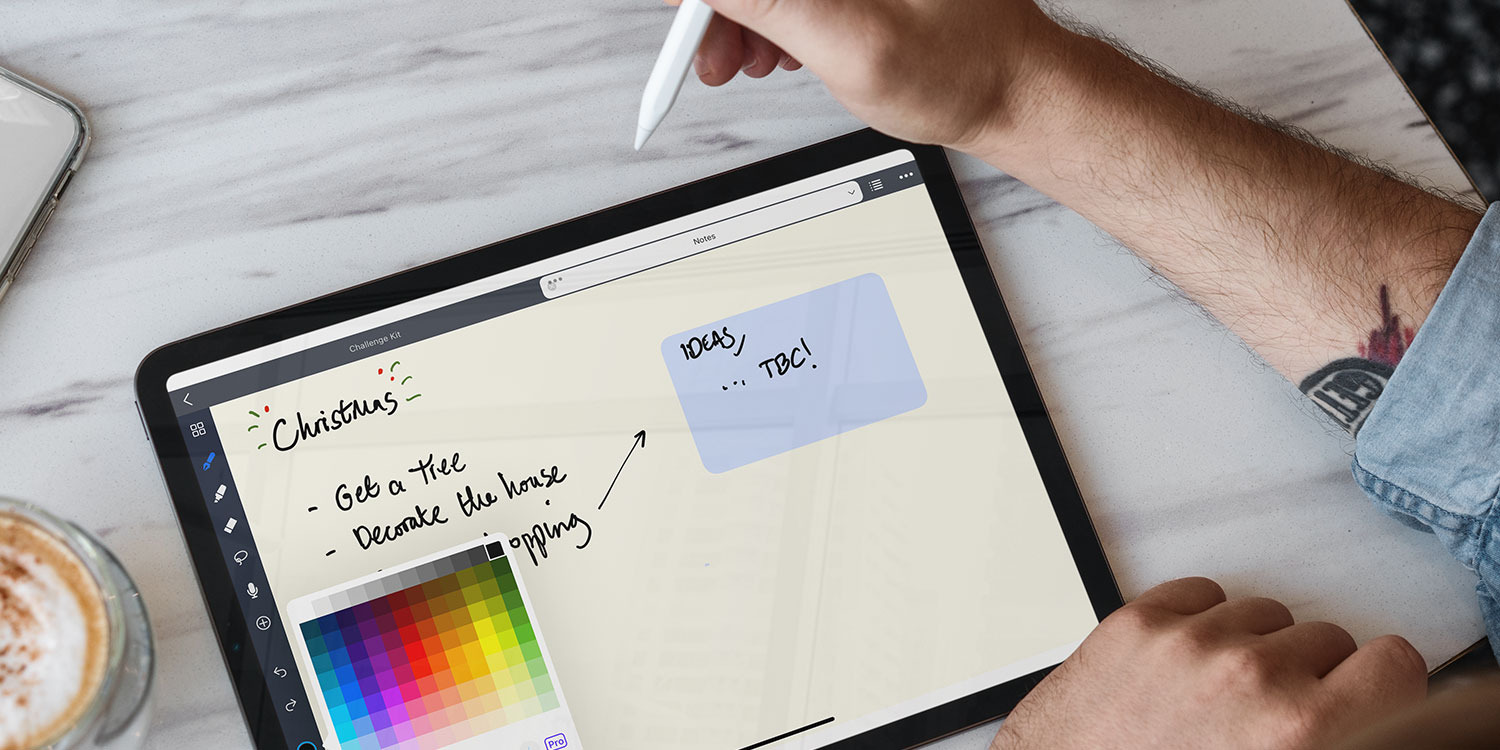
Noteful is an iPhone- and iPad-first note-taking app that supports handwritten notes, PDF markup, audio recording, and document organization. Its handwriting tools are built around Apple Pencil, with ballpoint and fountain pens, a highlighter, shape recognition, and lasso editing. You can also import PDFs and Microsoft Office files, then add handwriting, typed text, images, or shapes on top.
Key features:
- Handwriting tools: Write with Apple Pencil using ballpoint and fountain pens, highlighters, shape recognition, and lasso editing.
- PDF annotation: Import PDFs and Office files, then add handwriting, typed text, images, and shapes.
- Layers: Keep annotations on separate layers, then hide, show, or rearrange them without changing the original page.
- Synced audio: Record audio while taking notes and replay it alongside the notes you created at that point.
- Nested tags: Organize notebooks and individual pages with tags and sub-tags for easier navigation.
Pros and cons
Pricing
Noteful is free to download and use, with a Pro upgrade available as a one-time lifetime purchase for $6.99.
5. Apple Notes
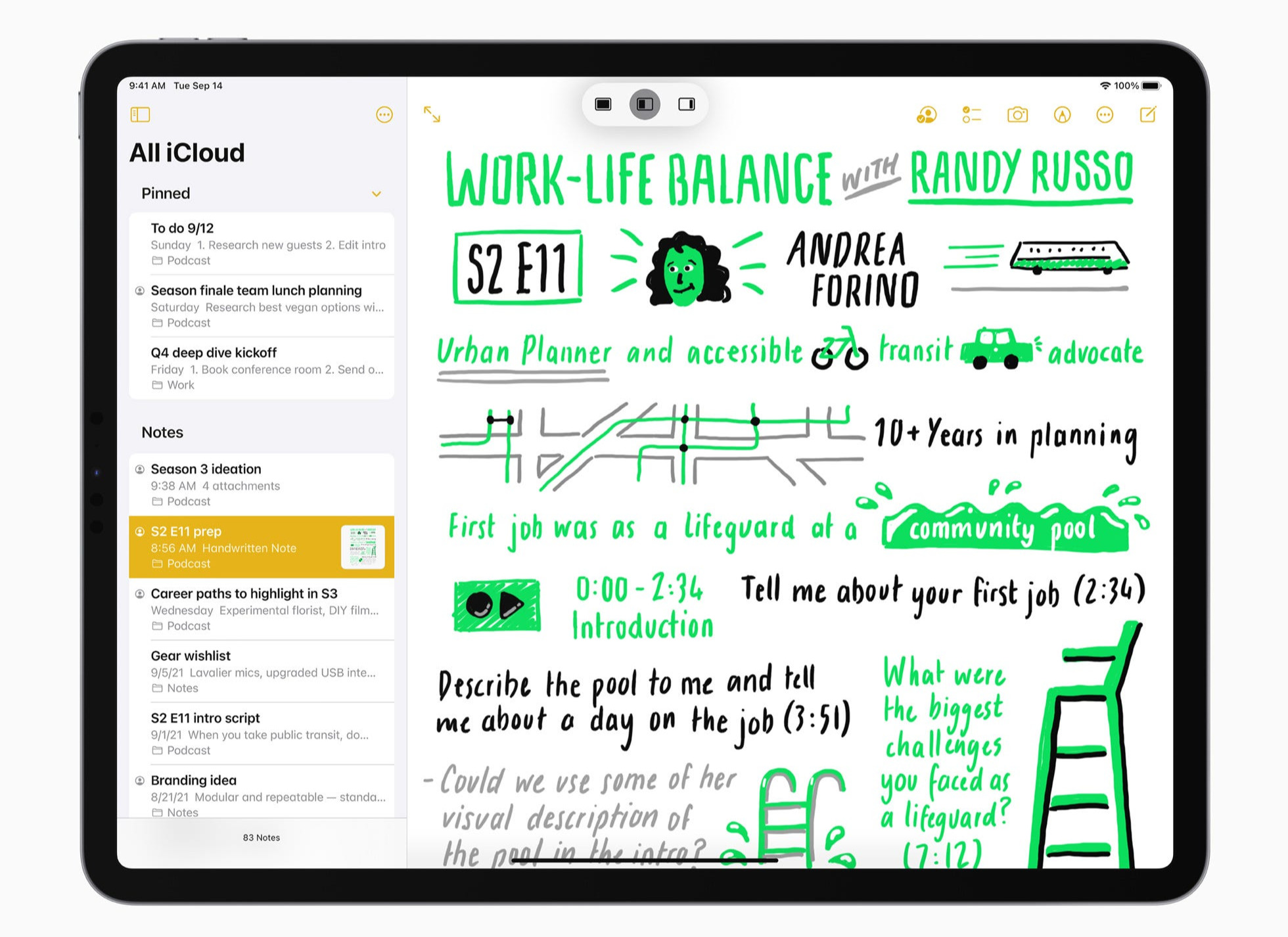
Apple Notes is Apple’s native note-taking app that comes preinstalled on iPhone, iPad, and Mac and syncs through iCloud. On iPad, you can write with Apple Pencil or mix handwriting with typed text, images, scanned documents, and PDFs. Smart Script can smooth your handwriting as you write. It can also reflow handwritten text when you add space, delete words, or paste new content into a paragraph.
Key features:
- PDF annotation: Attach PDFs or scanned documents to a note, then write, draw, highlight, crop, rotate, or add blank pages using Apple Pencil or your finger.
- Smart Script handwriting: Smooth and straighten handwriting as you write, correct spelling in your own handwriting style, and reflow handwritten text when you add or remove content.
- Search and organization: Find handwritten text, then organize notes with folders, tags, and Smart Folders that automatically group notes using filters such as tags or dates.
- Mixed-media notes: Combine handwriting and typed text with images, scanned documents, PDFs, links, tables, checklists, and other content in the same note.
Pros and cons
Pricing
Apple Notes is completely free to use, with 5 GB of free iCloud storage for syncing notes and other Apple data across devices; additional storage requires an optional iCloud+ plan.
6. Noteshelf 3
Noteshelf 3 supports handwriting, typed notes, PDF annotation, audio recording, and digital planning. Its handwriting tools include pens and highlighters, shape recognition, handwriting-to-text conversion, and handwriting search across 65 languages. You can also customize notebooks with different covers, paper styles, and a toolbar that keeps your most-used tools within reach.
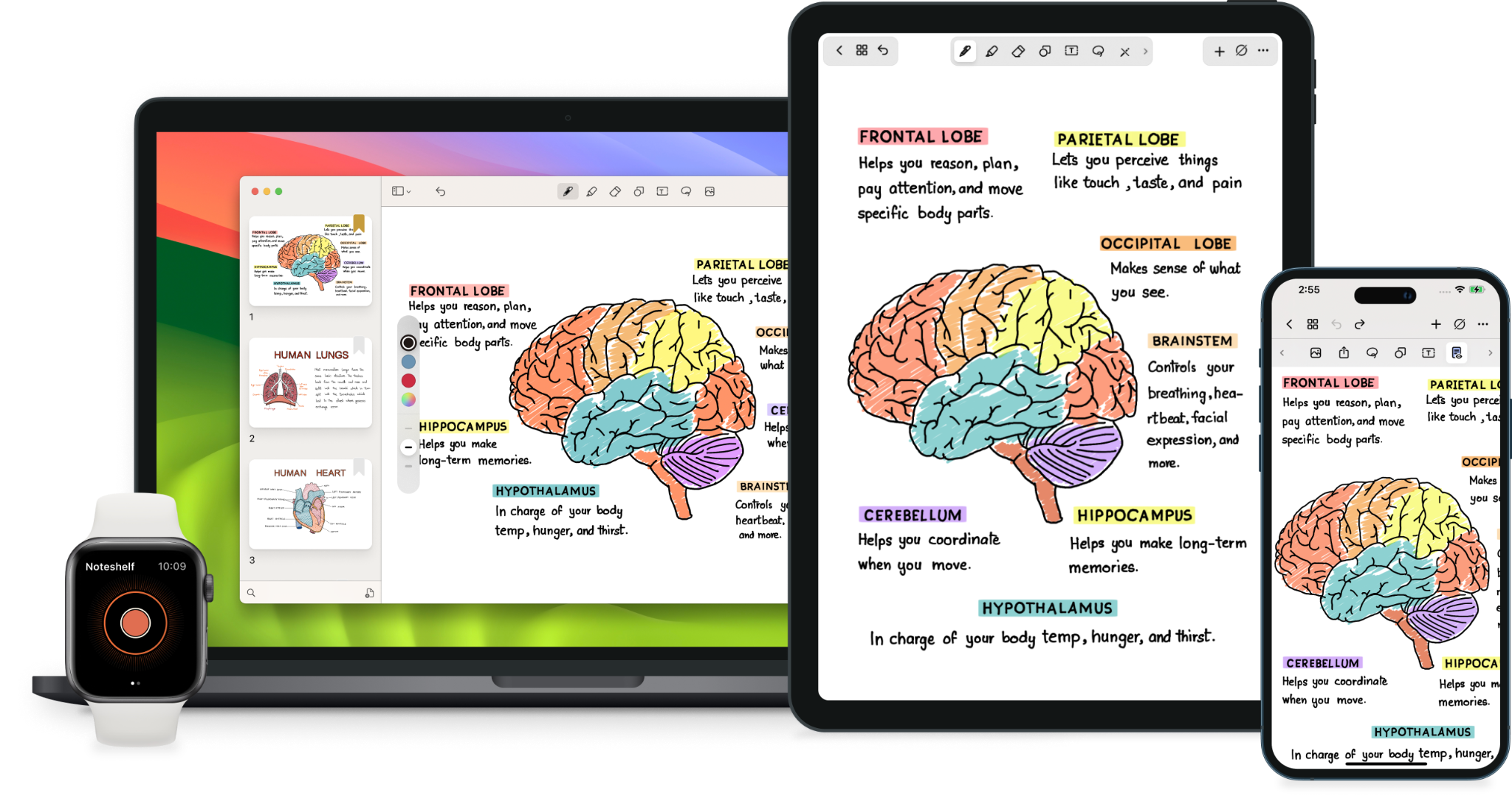
Key features:
- Handwriting recognition: Convert handwritten notes to typed text and search your handwriting across 65 languages.
- PDF and document annotation: Import PDFs, DOCs, PPTs, and images, then add handwritten notes, highlights, and other markup.
- Audio recording: Record lectures or meetings while taking notes, then replay the audio from the same notebook.
- Noteshelf AI: Generate notes, summarize pages, translate content, and explain selected handwritten, typed, or PDF content.
- Organization tools: Use folders, subfolders, tags, bookmarks, tables of contents, and links between notebooks to manage larger note libraries.
Pros and cons
Pricing
Noteshelf 3 is free to download and use, with Premium upgrades starting at $7.99/week and lifetime access priced at $14.99.
7. MyScript (formerly Nebo)
MyScript Notes, formerly called Nebo, is built around handwriting recognition and editable digital ink. You can write naturally with a stylus, then convert handwriting into typed text or edit it with pen gestures. It also recognizes handwritten math, shapes, and diagrams. The app supports 60+ languages for handwriting recognition.
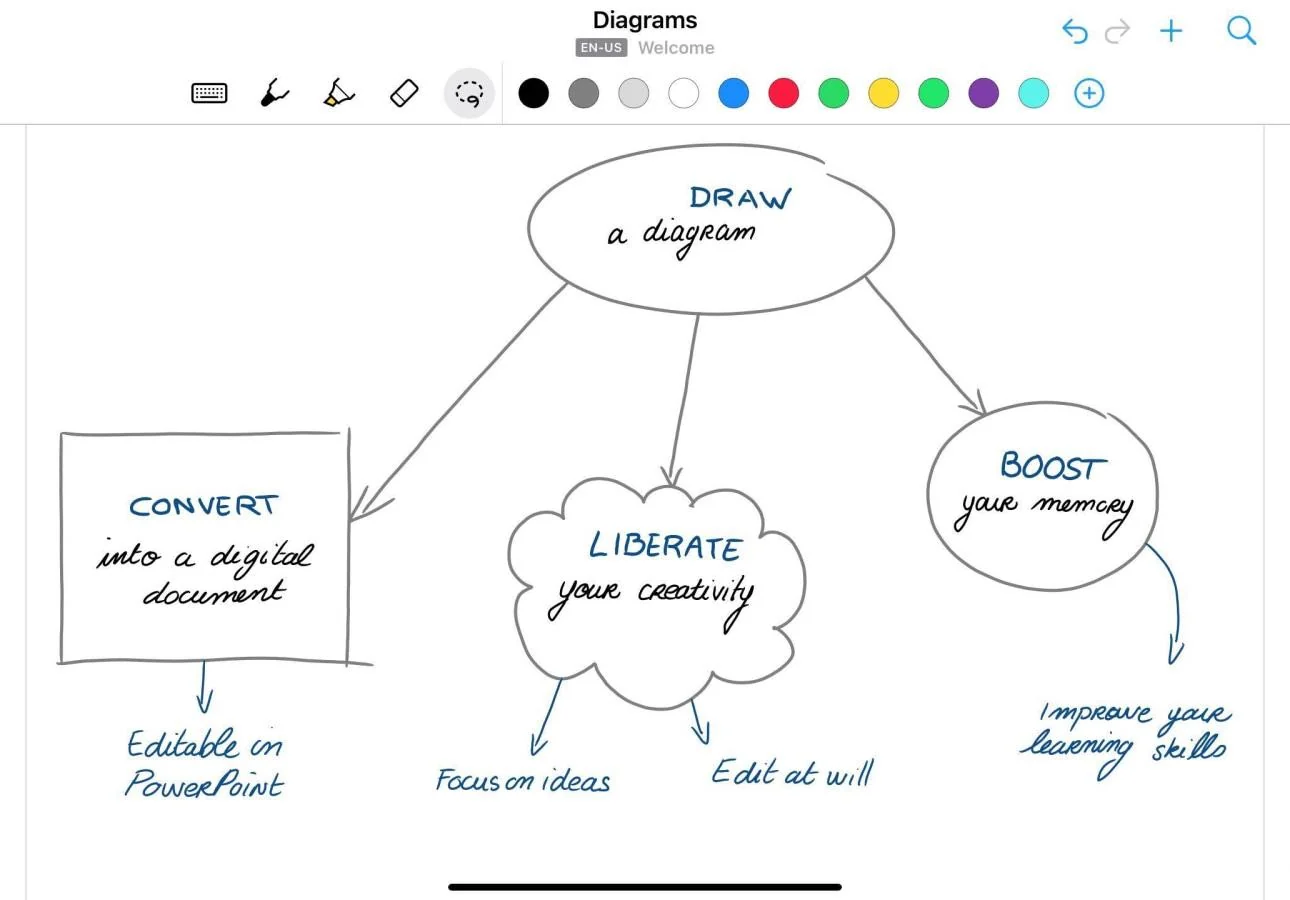
Key features:
- Pen gestures: Scratch out handwriting to erase it, underline content for emphasis, and use other gestures to edit notes without constantly switching in-app tools.
- Custom dictionary: Add names, technical terms, and abbreviations to your personal dictionary so MyScript Notes can recognize them accurately.
- PDF annotation: Import PDFs, Word files, and PowerPoint presentations, then highlight, draw, circle, or add notes before exporting the marked-up file.
- Global search: Search across your library for typed text, handwriting, diagram text, and PDF annotations.
Pros and cons
Pricing
MyScript Notes offers a free plan. Paid access starts at $1.99/month, with an annual Full Access plan at $7.99/year and a lifetime purchase at $29.99.
8. Kilonotes
Kilonotes combines handwriting with visual study-focused workflows. You can build notes with handwritten text, images, stickers, videos, and imported PDFs, then use tools such as OCR, translation, mind maps, and quizzes. It’s available on iPad, iPhone, Android, and Chromebook.
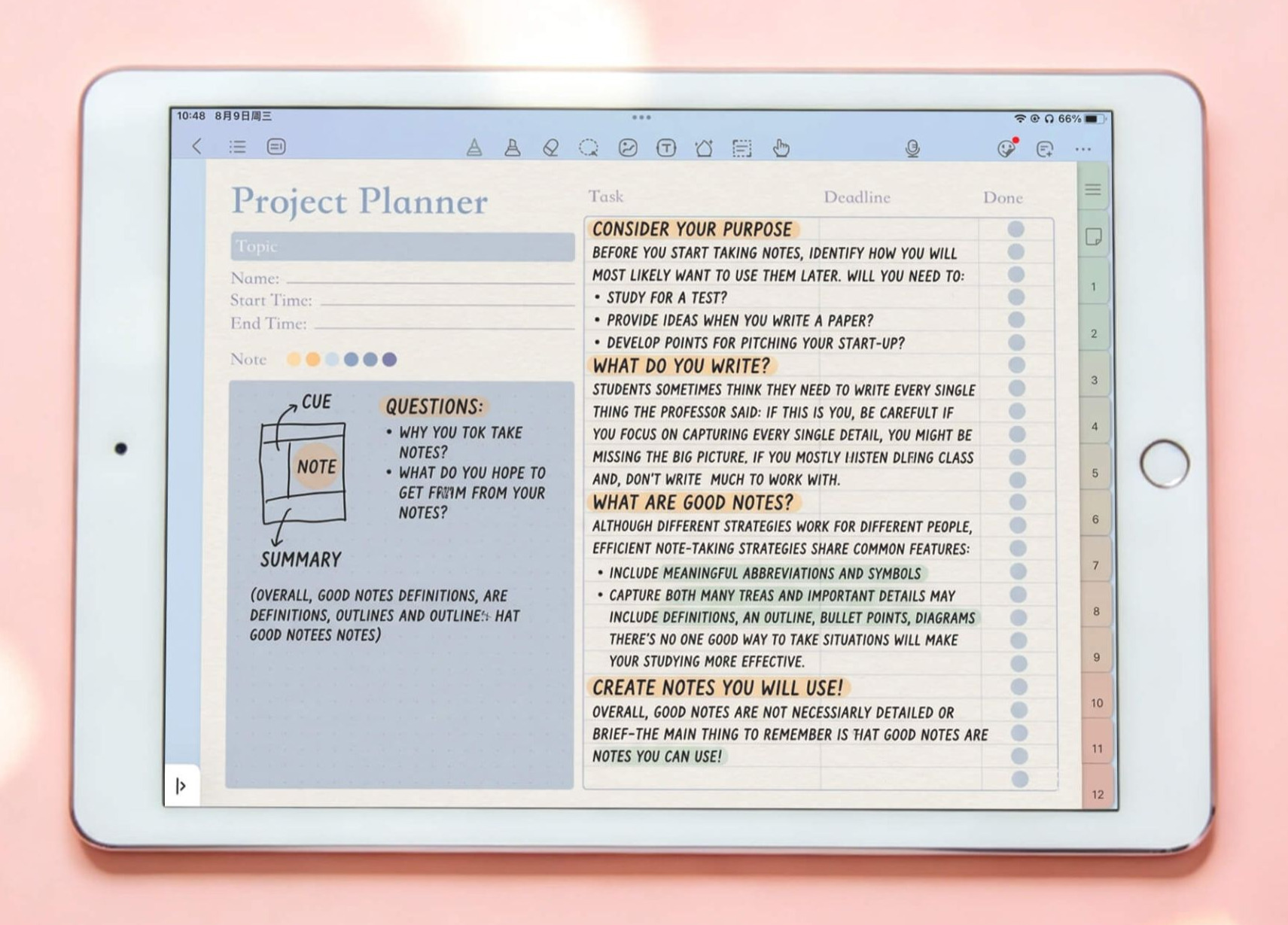
Key features:
- Handwriting tools: Move, resize, and rotate handwritten content, customize pen width and colors, and convert handwriting to typed text.
- PDF study tools: Search across PDFs, use outlines and page jumps, translate text, and extract important content while reading.
- Audio recording: Record lectures or explanations while taking notes, then use AI to turn recordings into text, summaries, or mind maps.
- AI study support: Generate summaries, mind maps, quizzes, presentations, and knowledge cards from your notes or PDFs.
- Visual customization: Build notebooks with different covers and paper templates, then add images, stickers, videos, and custom handwriting fonts.
Pros and cons
Pricing
9. Freenotes
Freenotes is a note-taking app primarily designed for iPhone and iPad, with an Android version also available. It originally launched as a free app but has since moved to tiered pricing. Paid plans add features such as AI summaries, PDF chat, handwriting correction, and other study tools for users who want more than the basic features.
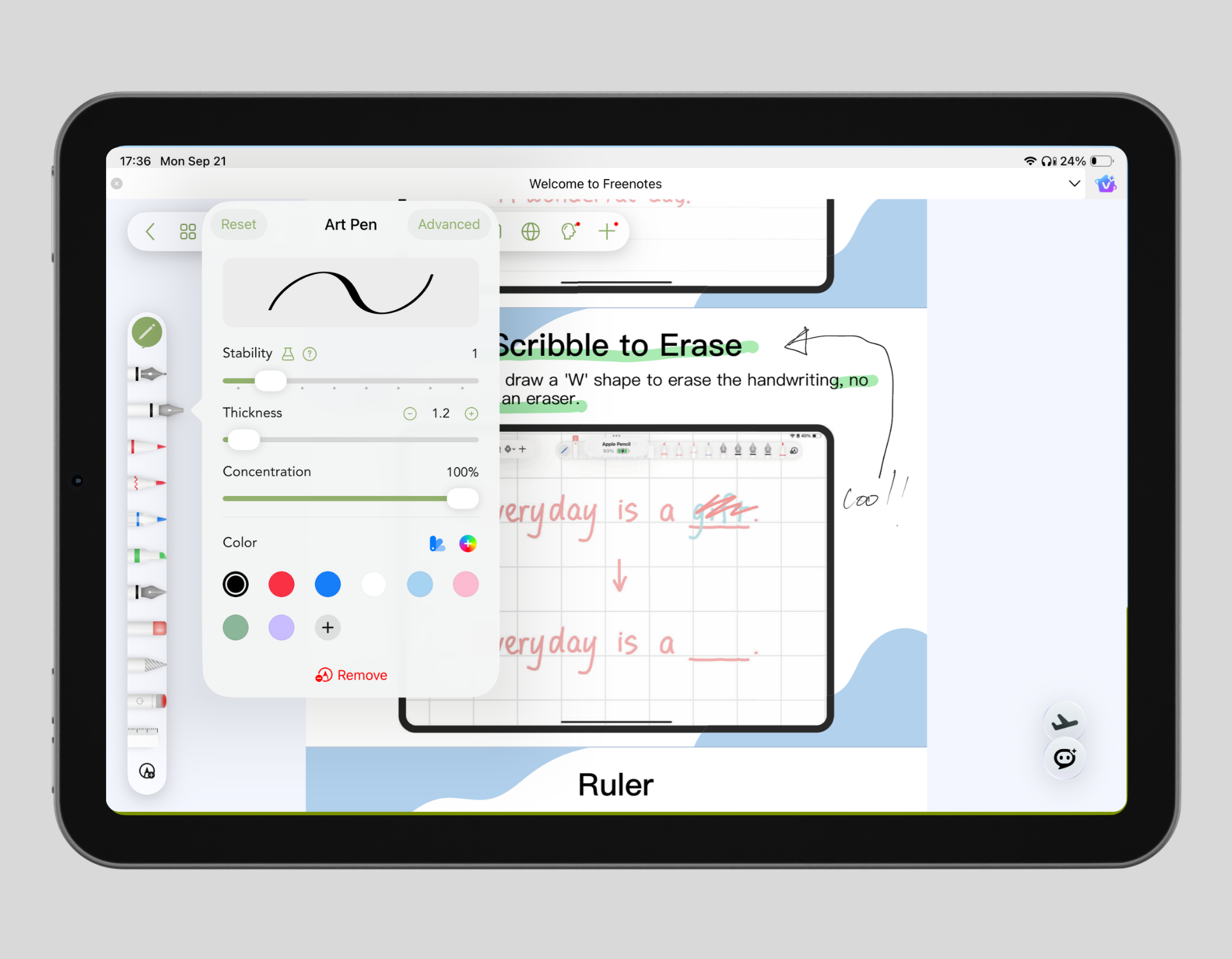
Key features:
- Apple Pencil support: Write with low-latency ink, use shape recognition, and customize pen styles for handwritten notes.
- PDF annotation: Highlight, underline, add comments, and work directly with imported PDFs.
- Active Recall Tape: Cover parts of your notes, then reveal them while revising to test what you remember.
- AI study tools: Summarize notes and recordings, chat with PDFs, check handwritten work, and generate study support from your material
- Infinite canvas and flashcards: Use an expandable whiteboard for mind maps and visual notes, then build flashcard sets directly from your pages.
Pros and cons
Pricing
Compare Notability alternatives
Before choosing a Notability alternative, think about what you use Notability for most. If you mainly work with PDFs, check what you can annotate, rearrange, and export. If you take notes during lectures or meetings, look for audio recording that syncs with your notes, and transcription to turn recordings into searchable text. The right replacement should fit those workflows without forcing you to change how you take notes.
Consider:
- How handwriting feels: Compare pen responsiveness, pressure sensitivity, palm rejection, pen customization, and shape recognition. Also check if you can move, resize, search, or convert handwriting to typed text.
- How you work with PDFs: Check whether you can import a PDF and annotate its pages directly. If you regularly use lecture slides, textbooks, or worksheets, also compare highlighting, page management, search, and export options.
- How audio works with your notes: Notability can record audio while you write, so check whether an alternative offers the same connection between recordings and notes. Some apps also add transcription, searchable transcripts, or AI-generated summaries.
- How you organize and find notes: Compare notebooks, folders, tags, search, bookmarks, and other ways to manage a growing library.
- What AI can do with your notes: Compare whether the AI can summarize notes, answer questions about PDFs, search handwriting, transcribe recordings, or work across more than one note.
- Which devices you use: Check support for iPad, iPhone, Mac, Android, Windows, and the web. Some alternatives work mainly within the Apple ecosystem, while others let you access the same library across different operating systems.
- How syncing and backup work: Check whether the same library syncs automatically between your devices, which cloud service it uses, and whether backups can be restored easily.
- What you’ll need to pay for: Compare what the free plan includes before looking at subscription prices. Some apps charge separately for AI, restrict handwriting search or syncing to paid plans, or offer a lifetime purchase instead of a recurring subscription.
The table below makes those differences easier to compare at a glance.
Switch from Notability today
The best Notability alternative depends on which parts of your note-taking setup matter most. You may want more control over handwriting, more advanced PDF annotation, additional study tools, support for more devices, or a pricing model that works better for you.
Goodnotes brings handwriting, PDF annotation, audio recording, study tools, search, and AI into the same app. You can work in Notebooks, switch to an infinite Whiteboard for diagrams or mind maps, or use a Text Document when you need a pageless format. Smart Ink also lets you straighten handwriting, insert space, resize sections, and reflow handwritten text across lines. It’s available on iPhone, iPad, Mac, Android, Windows, and the web, so you can access your notes beyond an Apple-only setup.
Try Goodnotes for free and see how it fits the way you take notes, study, and work with documents.
FAQs
Is Notability a better option than Goodnotes in 2026?
For most people, Goodnotes is the better all-round option than Notability in 2026. It gives you more ways to create notes with Notebooks, infinite Whiteboards, and pageless Text Documents. You can also handwrite, annotate PDFs, record audio, search your notes, use study tools, and work with AI in the same app. Goodnotes is available on iPad, iPhone, Mac, Windows, Android, and the web.
Which is better, Notability or CollaNote?
Notability is the better fit if you want more advanced audio, transcription, and study features. It combines handwriting and PDF annotation with audio recording, transcription, quizzes, flashcards, and AI tools on its paid plans.
CollaNote is a lower-cost Apple-first alternative. It includes 25+ pens and brushes, handwriting stabilization, flashcards, planners, translation, and AI tools, with Lifetime Premium available as a one-time purchase.
What is the best note-taking app for iPad in 2026?
Goodnotes is an ideal option if you want handwriting, PDF annotation, audio recording, AI, and study tools in the same app. Noteful is a simple, lower-cost option for PDF markup and layered notes, while MyScript Notes is better suited for handwriting recognition, equations, and diagrams. For more options, see our guide to the best note-taking apps for iPad.
What happened to the Notability lifetime purchase?
Notability offers the Classic plan, a one-time purchase that costs $49.99. The plan includes unlimited notes, handwriting recognition and search, math conversion, live collaboration, Notability Cloud sync, and seven-day version history.