TL;DR
- Meeting bots can make people hold back, but bot-free tools give you the same AI notes without one joining the call.
- They capture audio from your device or through a browser extension, and each method has its own trade-offs.
- Look for recording, transcription, speaker ID, search, AI summaries and notes synced to your audio.
- Goodnotes, Granola, Krisp, Jamie and Tactiq are the top five, and Goodnotes is the most affordable all-rounder.
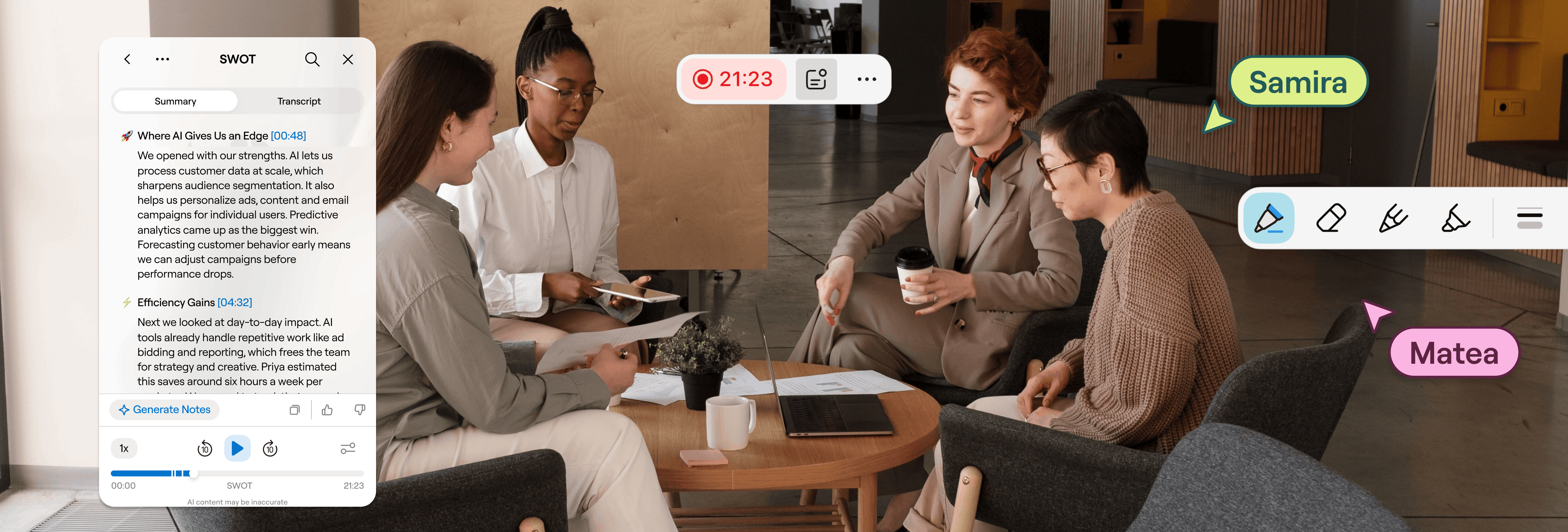
AI note-takers have become commonplace in virtual meetings, but that doesn’t mean they’re always welcome. Having a meeting bot present on calls can cause clients and collaborators to overthink their input and ideas in the knowledge that everything’s on record.
Nobody wants their mistakes or not-so-great ideas immortalized by a meeting bot, so they hesitate to share them. Potentially amazing ideas never surface for fear that they’re, well, not that amazing. Plus, these bots can often cause technical issues for you and your participants. A double whammy.
But flying solo in meetings means you rely entirely on your handwritten notes and memory. Trying to jot down comprehensive notes distracts you from focusing on clients and conversations, and relying on your memory leads to missed details and post-call stress.
So how can you take AI meeting notes without a bot?
In this article, we run through bot-less AI meeting note tools and how they work, as well as what to look out for when making your selection. We then cover the top five bot-free AI meeting assistants on the market to help you capture meeting audio and uncover AI insights without the invasive on-call bot.
How do bot-free AI meeting note-takers work
Bot-free AI meeting note-takers typically work in one of two ways:
- Device-level audio capture works by recording microphone and system audio directly from your or another device (like an iPad or phone)
- Browser extension audio and caption capture works by capturing your meeting tab’s audio or captions
From here, both types of bot-less meeting recording transform the audio recording into a transcript. Then, the same AI insights you expect from AI note-takers are generated by your tool of choice’s AI layer.
But which is best? It depends.
Opt for device-level audio capture if you take meetings across multiple video-conferencing platforms or devices. It works independently of whatever video conferencing platform you’re using and—depending on the tool—keeps your recording off third-party servers, which is ideal if security is a concern.
Browser extension-based capture is the better option if you want to avoid installing anything on your device. It’s an easier setup, but it means you’re unable to record any calls you take on dedicated meeting apps, like Zoom, Microsoft Teams, or Slack.
What to look for in a bot-free AI meeting note-taker
You want your bot-free notetaker to do all of the work a regular bot-based notetaker does, just without it joining your meeting. That means you want to find a bot-free AI meeting note-taker that:
- Records your meeting audio
- Transcribes your audio recording
- Includes time-stamps and speaker recognition
- Is searchable once transcribed
- Generates AI insight summaries from calls
- Provides key takeaways and action items
In addition to these core capabilities, you ideally want a bot-less AI meeting note tool that syncs with your on-call notes. If you’ve taken digital or handwritten notes during the call, however extensive, you want a tool that can easily link your notes to your audio recording and transcript. That way, you can easily get context on the thoughts and ideas you jot down during a call.
So, now you know how AI meeting notes with a bot work, and what you should look out for when choosing a solution—let’s take a look at the top five bot-less AI meeting note tools on the market.
5 Bot-free AI meeting assistants for notes that take care of themselves
You’ve got options when it comes to the best bot-free AI meeting assistants, and the best one for you depends on their features and key benefits. Here’s what they look like at a glance:
Goodnotes
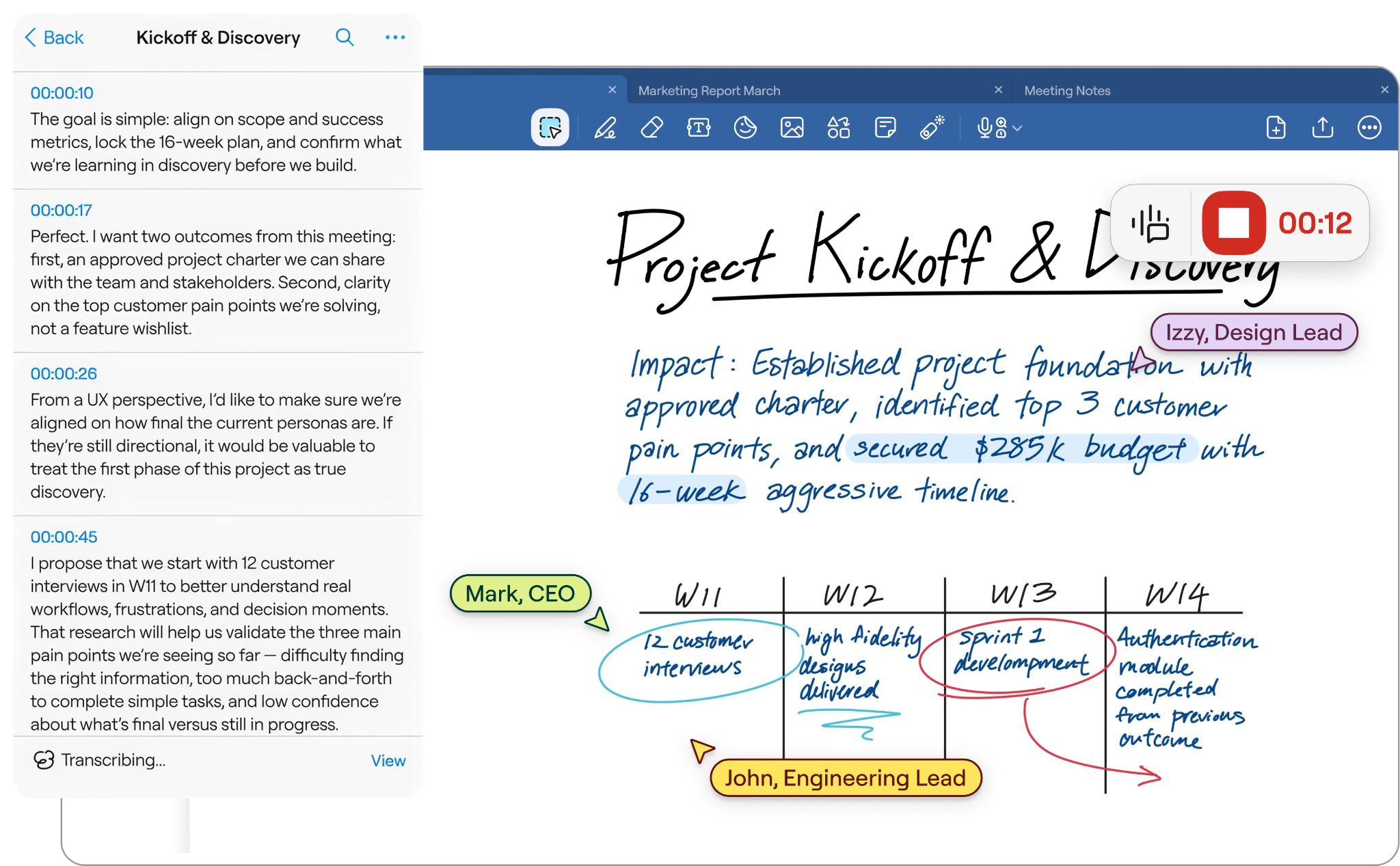
Goodnotes is a note-taking experience made for professionals who rely on a tablet to think, work, and study. You can join meetings without a bot while Goodnotes records your device's audio, with both handwritten notes and typing synced to recordings. You can tap any word later and replay the exact spoken moments.
From preparing agendas to organizing everything afterward, Goodnotes brings together the tools you need to stay focused and keep every idea neatly organized. Goodnotes AI makes post-meeting analysis and next steps simple, and you can chat with your notes and recording to easily find the details you need.
Key AI meeting notes features:
- Intuitive note-taking: Designed for stylus-first thinking, with a smooth, responsive writing experience that makes capturing notes feel effortless.
- Automatic action items: Automatically identifies and organizes action items, making it easy to see who is responsible for what after the meeting.
- Calendar connection: Alerts you to upcoming meetings and automatically creates notebooks for them, so you can stay prepared with minimal effort.
- Live summarization: Delivers real-time meeting summaries, helping you keep track of key discussion points as they happen.
- Automated note-taking: Combines transcript data with your handwritten notes, creating a polished, shareable record of the meeting.
- Turn handwriting into text: Use the lasso tool to quickly convert handwritten notes into typed text, making them easier to read, share, and collaborate on with your team.
- Search with keywords: Forget leafing through notebooks to find a single date. You can search for a keyword or phrase to find the exact note you need, when you need it.
- Chat with notes: Ask Goodnotes for support finding specific details from your notes. Have Goodnotes draft follow-up emails, supporting graphs or diagrams, and more.
- Platform-agnostic capture: Works with Zoom, Teams, Google Meet, or in-person meetings, since it pulls audio from the device's own microphone rather than plugging into any one video platform.
- Multiple document types: Create Notebooks for handwritten notes, brainstorm on Whiteboards, or take types notes with Text Documents.
- Team collaboration: Easily invite other stakeholders to collaborate with shareable links and access.
Pricing
From a free option to Goodnotes made especially for Teams and Enterprise, there’s a plan for anyone looking to take notes during a meeting without AI.
Granola
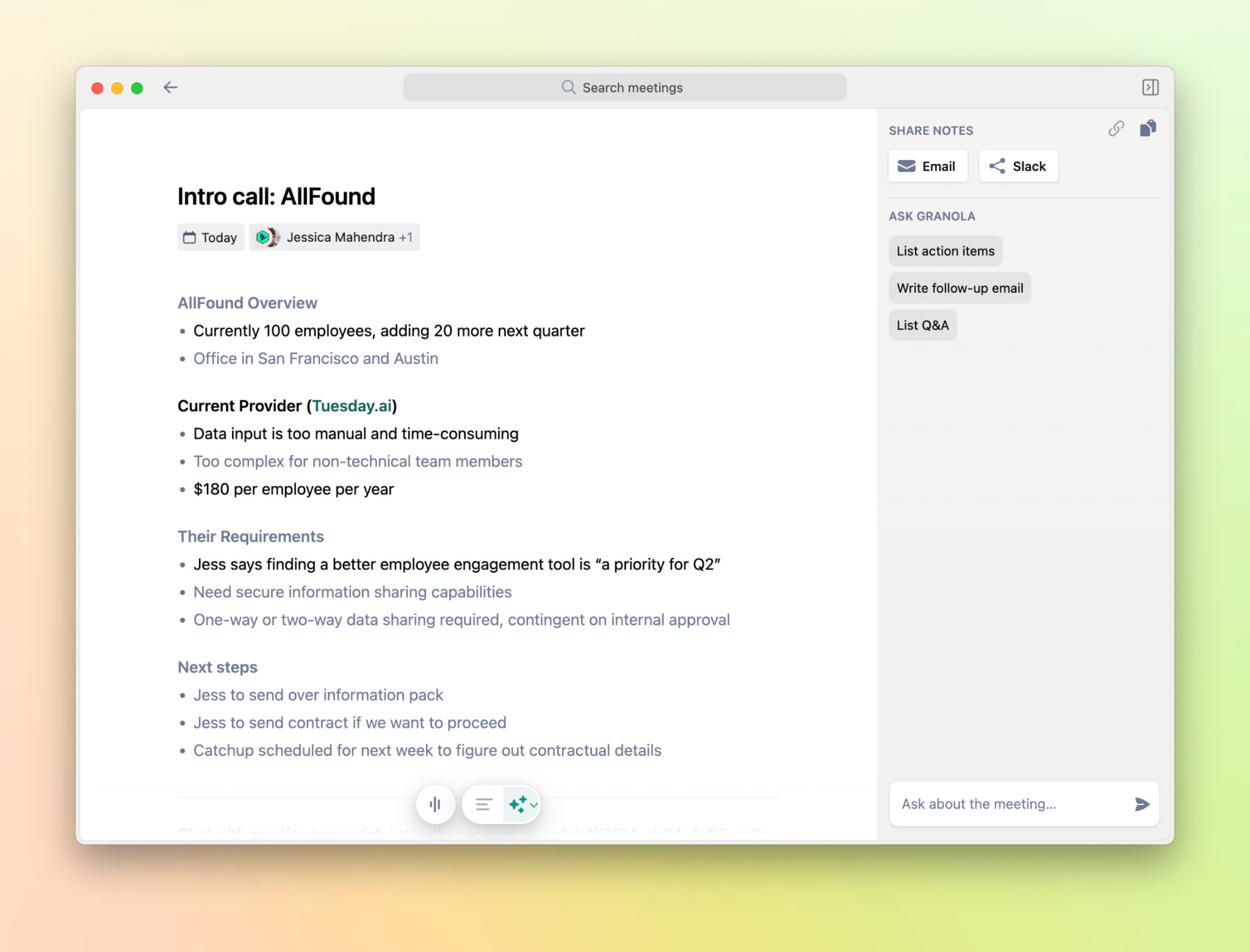
Granola is a meeting notepad that captures audio from your device. This bot-free AI meeting assistant uses a hybrid model to capture important points in your meeting. You can type in bullet points during a call, and Granola’s AI expands and structures notes that you’ve identified by combining them with the transcript. It doesn’t, however, provide the audio recording—that’s automatically deleted once the call is transcribed.
Key AI meeting notes features:
- Meeting-type templates: Such as sales calls, standups, and interviews to help structure live notes as you go.
- Calendar connection: Auto-creates blank note docs for meetings before they start.
- AI expands on notes: After typing out bullet points and shorthand notes live, the AI expands on what you’ve flagged as important.
- Ask Granola: Search your meeting notes, get support for follow-ups, summarize discussion points, and more.
- Immediate audio deletion: Audio recordings are deleted immediately following transcription generation. Not ideal if you need to check it, but good for compliance if operating in a restricted sector.
Pricing
Krisp
Krisp started as a noise-cancellation tool in 2017, but has since expanded its offering to AI meeting notes—combining that initial capability with AI-powered, bot-free meeting note creation. It also stands out for its accent conversion, where it dynamically adjusts accents during calls to enhance clarity and minimize misinterpretations.
Key AI meeting notes features:
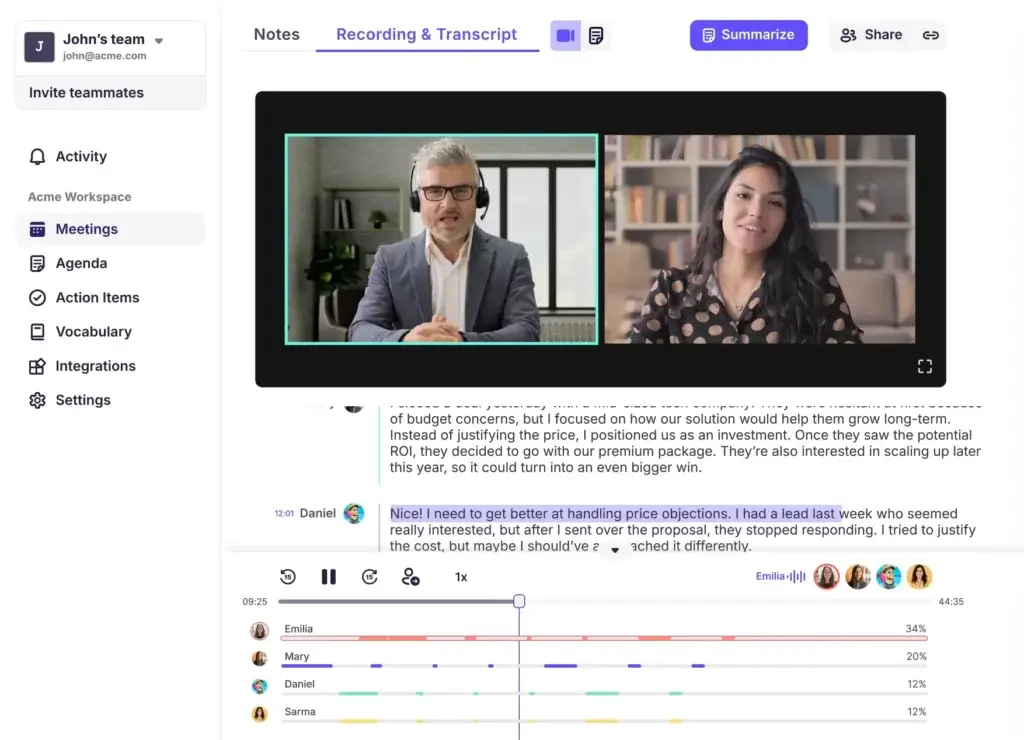
- Real-time transcription: Krisp transcribes meetings in the background while they’re happening so you can focus on your meeting.
- Two-way noise cancellation: Strips background noise from recordings of up to 40 decibels, which makes it easier to view recordings and get important information.
- Smart summaries and action items: Summarizes meetings into main points and next steps, for easy planning after the meeting.
- Cross-meeting AI search: Search all notes to retrieve details from previous calls and notes.
Pricing
Jamie
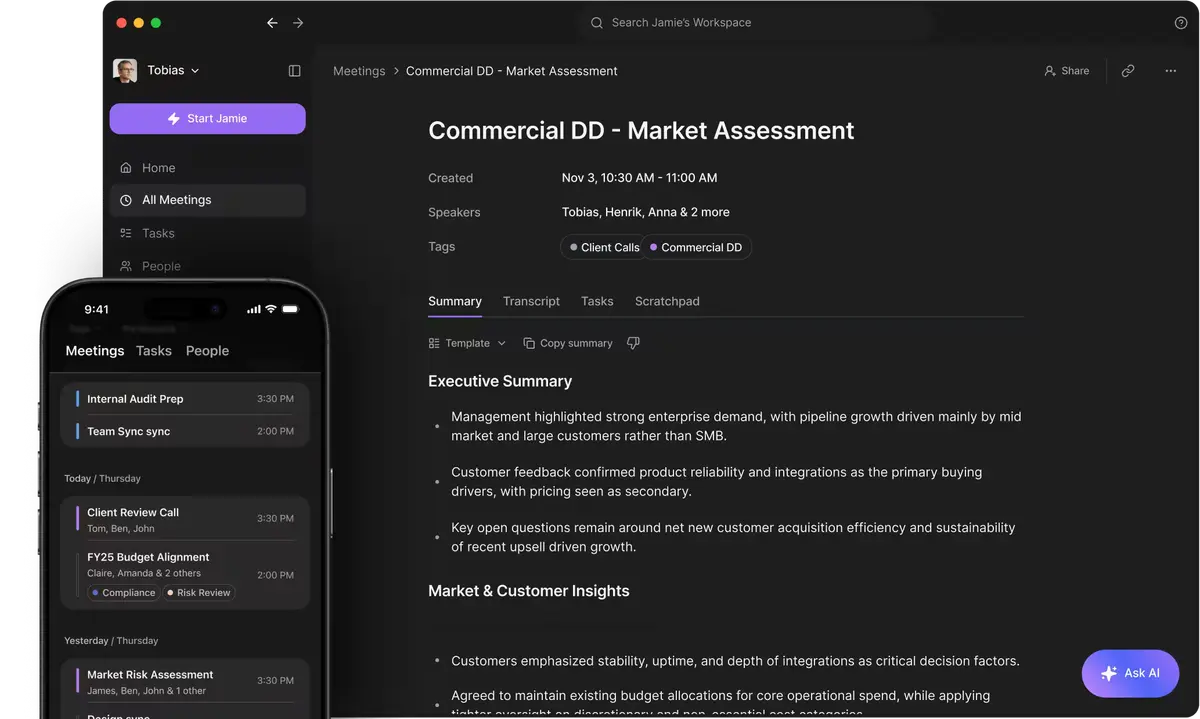
Jamie is a privacy-focused AI note taker that specializes in multilingual support. It works across devices via native apps, and offers the features you need for recording meeting tools without a bot.
Key AI meeting notes features:
- Live speaker identification and 100+ language support: Assigns names to everyone during the meeting, remembers their voice profiles for future calls, and easily transcribes multiple languages.
- Built-in scratchpad: So you can jot down important, contextual information during the meeting while it transcribes the meeting in the background.
- Executive summaries and action items: Get automated notes from meetings, including assigned follow-up tasks.
- Ask Jamie: Interact with notes to draft follow-ups, find key points in discussions, and synthesize themes across multiple calls.
Pricing
Tactiq
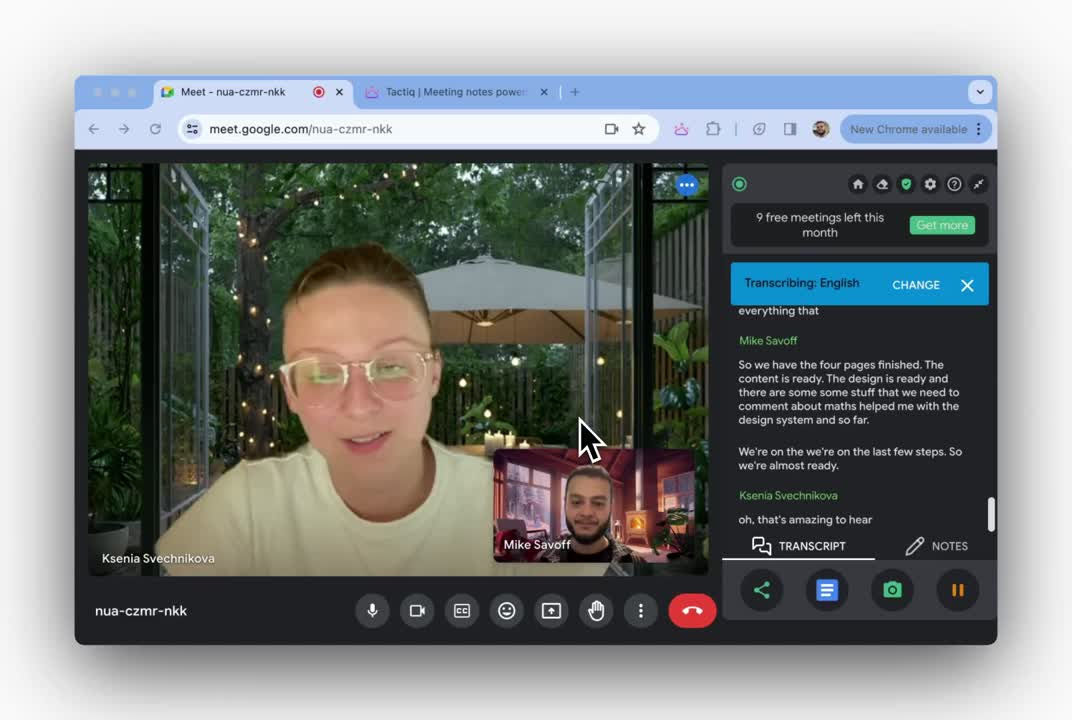
Tactiq is an AI meeting notetaker that works via a browser extension. Instead of recording audio from your device, it captures the live captions your meeting platform already generates and converts them into a transcript. From there, it layers on speaker identification, AI summaries, and custom prompts across multiple languages for notetaking. But there's no audio or video file behind any of it, just text.
Key AI meeting notes features:
- Captions appear on screen: Live captions appear in the sidebar as people speak. You can pause or continue the transcript when needed.
- Highlighting: You can mark clear moments and assign tasks during the call, allowing for on-call task assigning and management.
- Auto-share live transcripts: You can invite teammates to view the captions as they appear during the meeting for easier collaboration, even though a bot doesn’t enter the meeting.
- In-meeting ask AI: Query the transcript in real time so you never miss a thing.
- AI summaries and actions: Get automated summaries with key takeaways and next steps.
Pricing
Boot the bot, keep the AI notes and post-call automation
The best bot-free AI note-taker for you depends on your exact needs. Some tools give you better post-call automated meeting notes and workspaces; others provide a better on-call experience. Deciding what you want from your software for meeting minutes is part of the process.
If you want a tool that can record your meeting without a bot, provide post-call AI summaries and support, and connect your in-meeting notes with call recordings, look no further than Goodnotes. The most affordable tool on this list is also one of the most powerful beyond AI meeting note capabilities. Goodnotes’ stylus-first experience gives you a place to plan, record, summarize, draft, and execute—whether it’s in a notebook, a digital whiteboard, or a text document.
With Goodnotes, you’re getting much more than just a bot-free meeting notetaker. You get a notetaking experience that covers everything from collaborating on a call through PDF annotation to an endless whiteboard for sketching and brainstorming, all designed to support your workflow before, during, and after meetings.
FAQs
1. Which AI note taker does not use bots?
A few AI notetakers don’t use bots: Goodnotes, Granola, Krisp, Jamie, and Tactiq. They function by either transcribing live captions from your preferred meeting platform or by recording audio directly from your device.
2. Which AI tool is best for taking notes?
The best AI tool for taking notes is Goodnotes. It automatically transcribes your meeting and turns it into searchable, editable notes that you can mark up alongside PDFs and sketches, synced up across devices and your team members for quick and easy collaboration.
3. How can I record calls without a bot joining?
The most direct method is to use a bot-free note-taker. For example, Goodnotes captures audio from your device’s built-in mic. A bot never gets added as a participant, and it works across devices and video-conferencing software.
4. Are there free bot-less AI note takers?
Yes, some bot-less note takers are free. For example, Goodnotes, Granola, Krisp, Jamie, and Tactiq all offer free versions for bot-less meetings, although free AI note-taker plans are limited and often don’t include all the features and capabilities of paid plans. That being said. Goodnotes and Granola both offer a generous free plan.
5. Do I need an AI note taker?
Definitely. An AI note taker ensures you have a written record of your meeting by transcribing it. This saves you time and effort after your meeting by generating summaries and next steps.