TL;DR
- Three biology and vet students condense huge lecture decks into summary sheets, set up nested folders before term starts, and annotate PDFs instead of rewriting.
- For labs and exams they differ: pre-experiment flowcharts, annotated microscope photos, hand-drawn flashcards, and Quiz Me questions built from their own notes.
“It was like drinking out of a fire hose,” Jessica says of starting vet school. “I never experienced anything like vet school in my life, as far as the amount of content that’s thrown at you.” Ask students Myles and Mathilde, and they’ll describe a similar feeling.
A life sciences degree doesn’t just mean a lot of reading. It means dense lectures, diagrams you need to draw from memory, lab procedures you have to know before you walk into the room, and exams that test all of it at once.
All three ended up solving that with Goodnotes, though all of their systems differ slightly:
- Jessica (@jessica.vester) is a fourth-year veterinary student in Washington State, heading into clinical rotations.
- Mathilde (@bientotveto) just finished her first year of veterinary medicine in Slovakia, after moving from France.
- Myles (@mylesmcbean / LinkedIn) is entering his fourth year of biology at the University of Waterloo.
Managing the volume
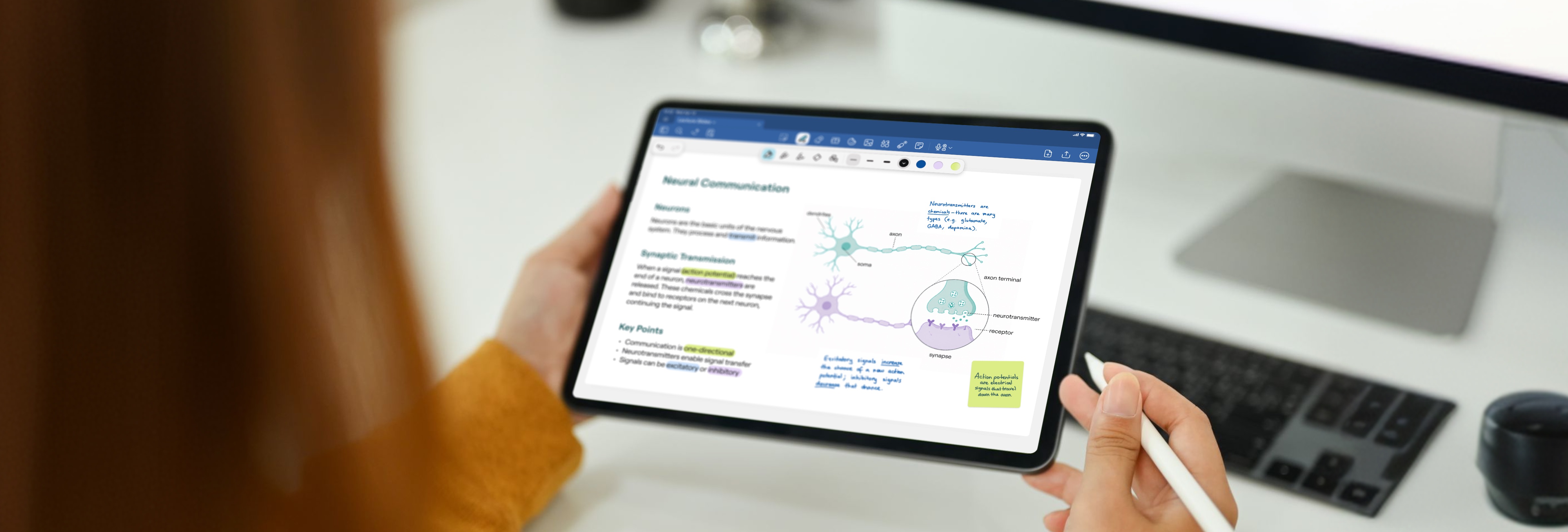
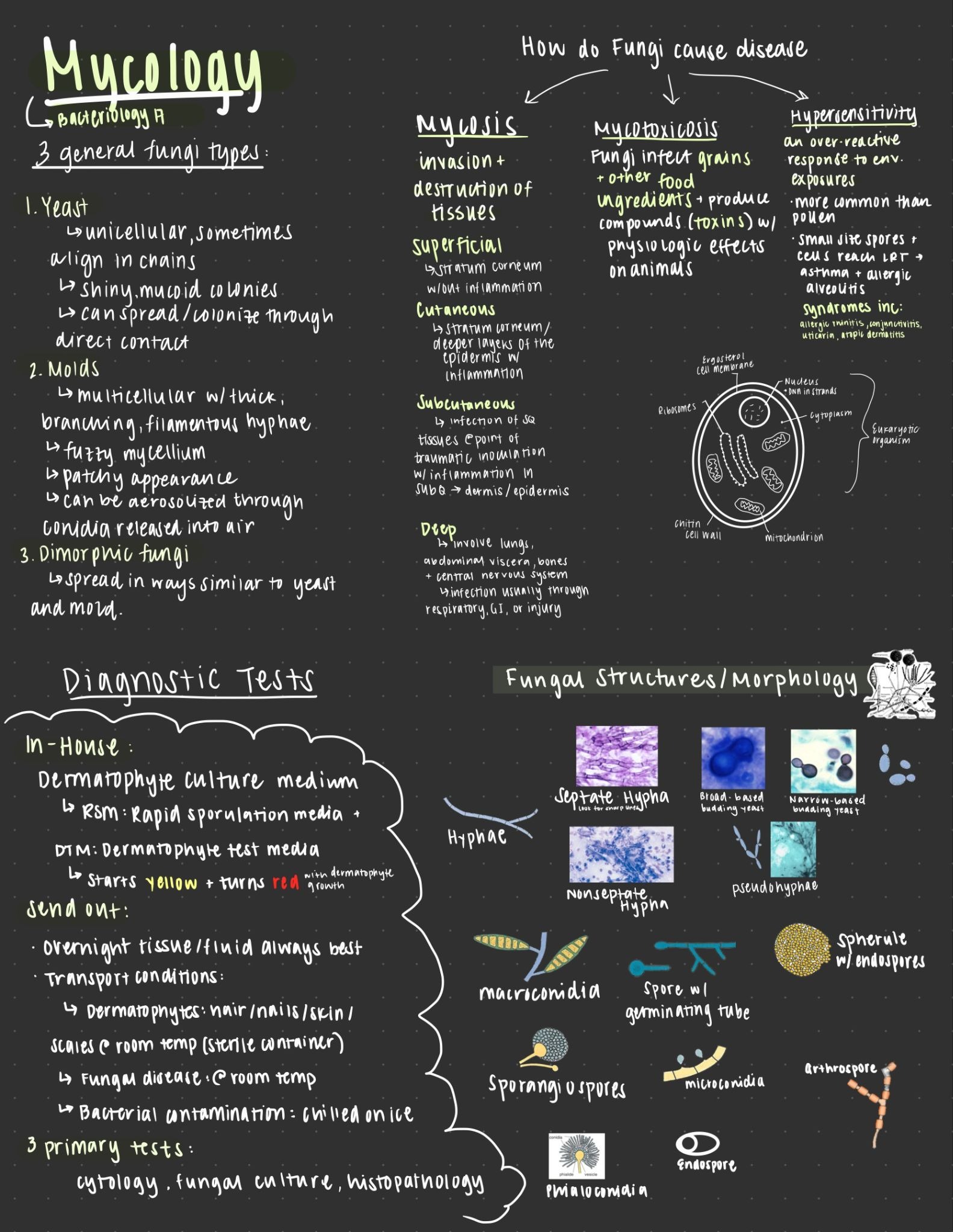
Mathilde and Jessica attack the volume problem from different ends. Mathilde compresses notes at the note-taking stage. “Sometimes there’s PowerPoints that are like 100 pages,” she says, “and on Goodnotes I can do everything in five. There’s just five papers I have to study, but it’s the same amount of information.”
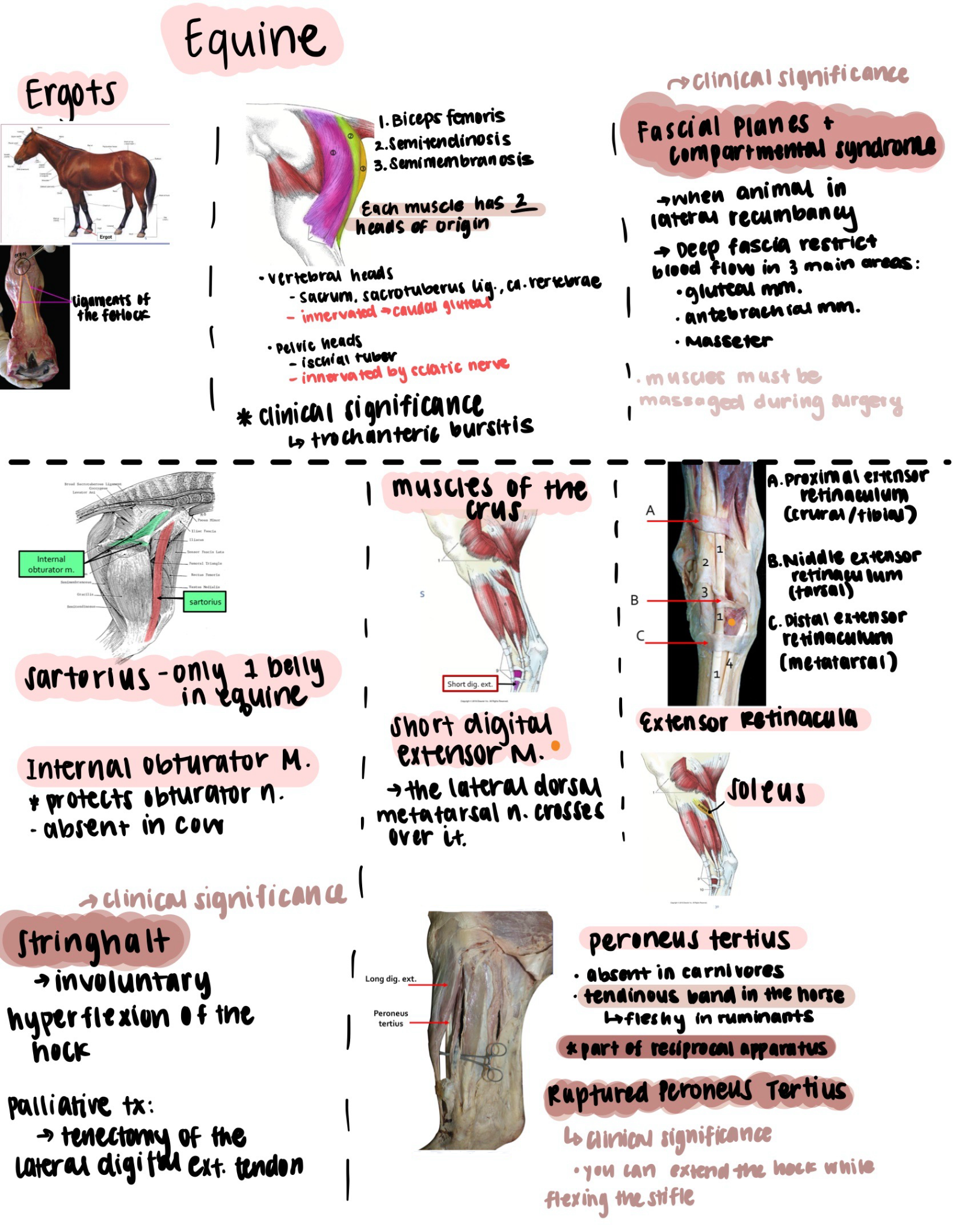
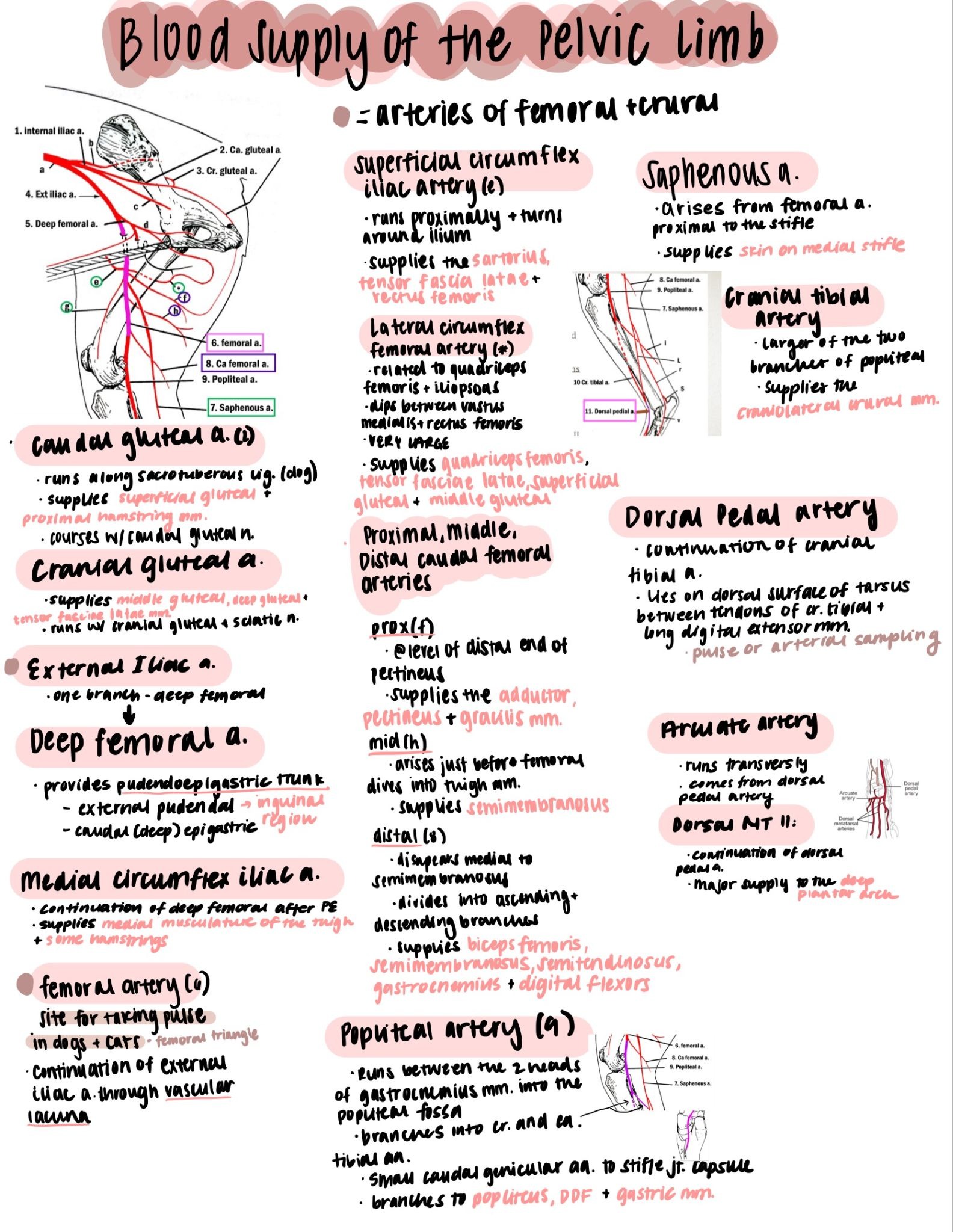
Jessica compresses notes much later in the semester. She downloads and annotates every lecture slide deck as it comes in, then builds a separate summary sheet for each one, and by finals those summary sheets live together in one notebook, so reviewing a semester means flipping through a single file instead of hunting across a folder of individual lectures. “You can’t know everything,” she says, “but you can do your best to understand everything.” A summary sheet is how she gets there.
Staying organized across a heavy course load
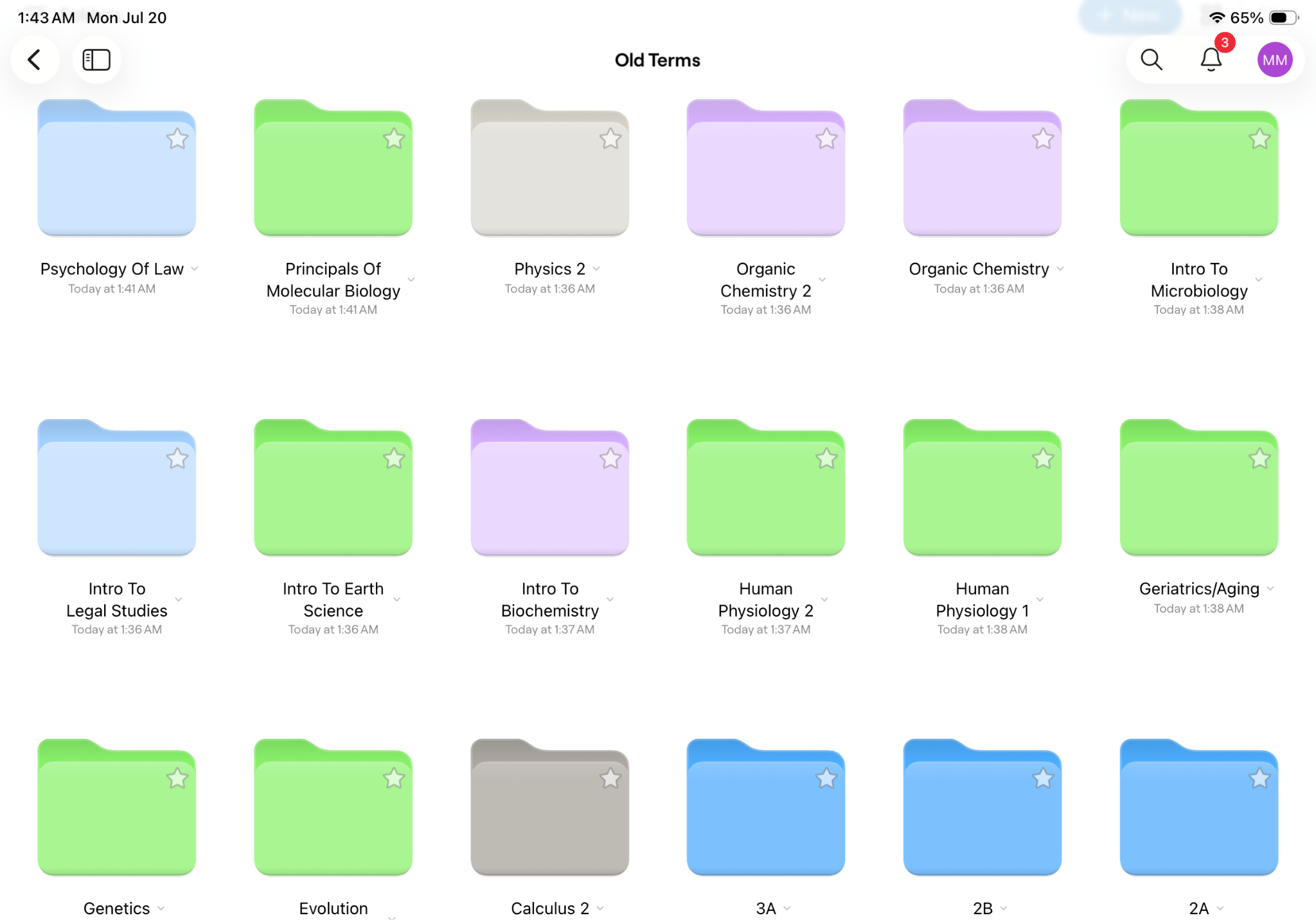
Ask any of the three what actually gets them through a semester and organization comes up before any specific feature does. Myles keeps it simple. “I organize all my classes, all my semesters, and by unit,” he says, “so each of my folders has three mini folders inside it. That really helps me stay on top of things.”
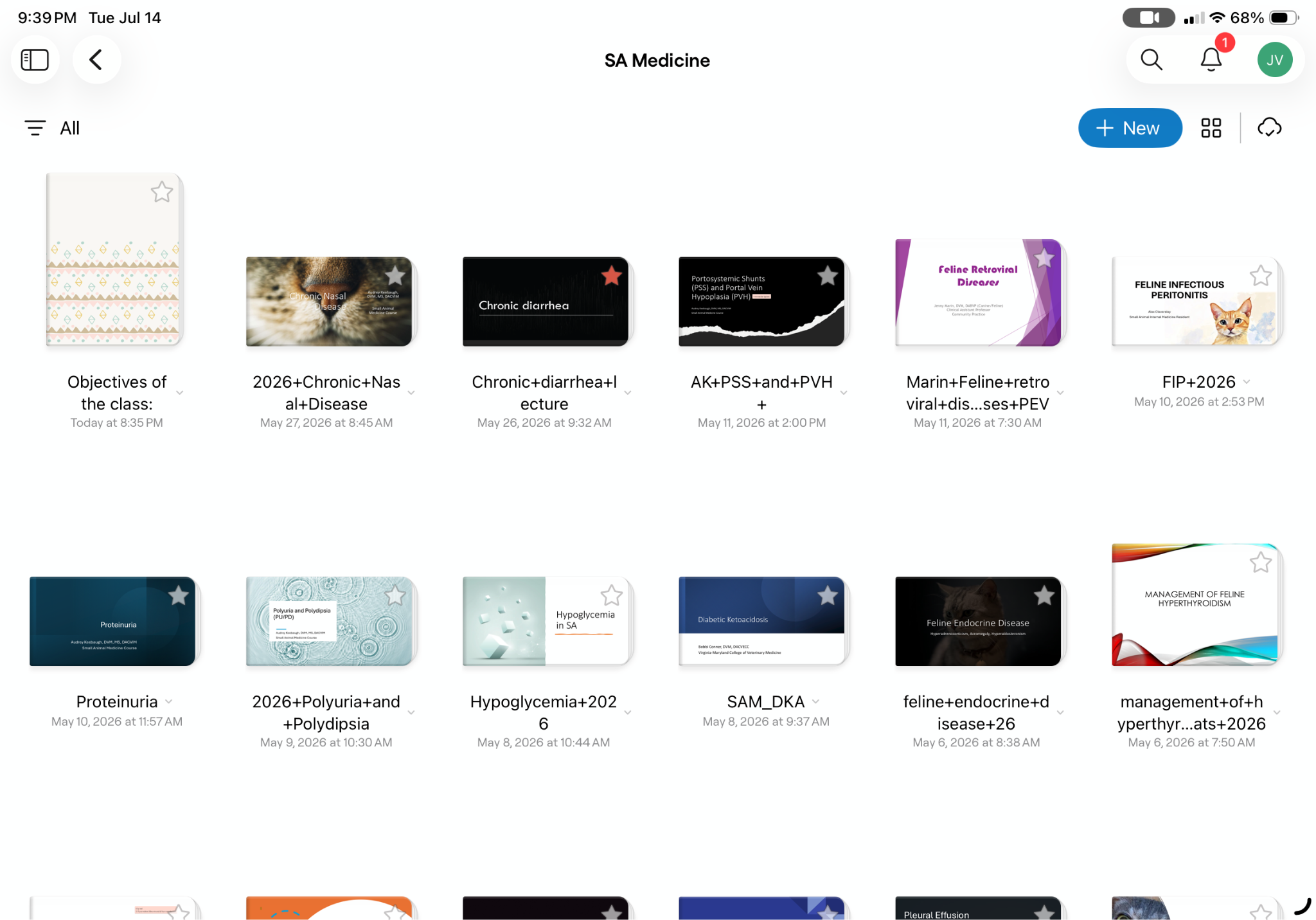
Jessica goes a layer deeper, organizing by program year, then semester, then class, so opening a single folder surfaces every PowerPoint and note for that course, alongside one running notebook of summary sheets she can review from start to finish. “It's almost like my file cabinet,” she says. “I know I can always go to Goodnotes and find notes for this class or notes for that class, whether they’re written out or typed.”
Mathilde’s system lands close to Jessica’s, a file per subject merged into one master file at year’s end, alongside a running to-do list inside Goodnotes so nothing slips. But what’s actually changed for her isn’t the folders themselves, it’s staying organized continuously rather than only tidying up before exams. "I try to stay organized all year long," she says. "That's something I didn't do in my previous studies, and maybe that's something that's helping me now."
In the lab
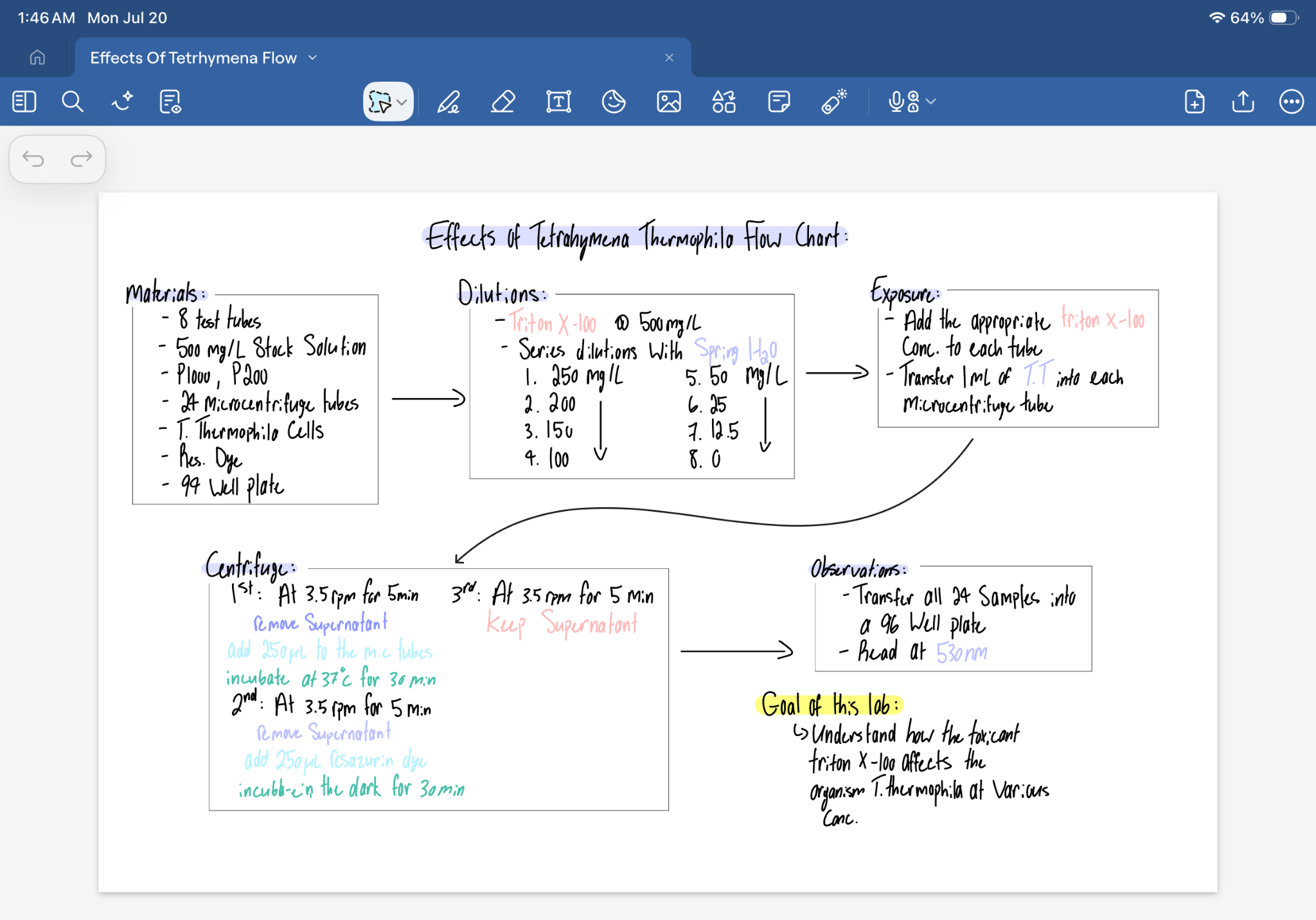
Labs brings out three distinct workflows. Myles builds a flowchart before any experiment. “Before heading into an experiment, I like to know exactly what I need to do,” he says. “So I’d open up Goodnotes and do a flowchart, just to give me a clear idea of what I’m going to do procedure-wise in the lab.” When his iPad isn’t allowed on the bench, he drafts it digitally first anyway, then transfers it into a physical lab manual.
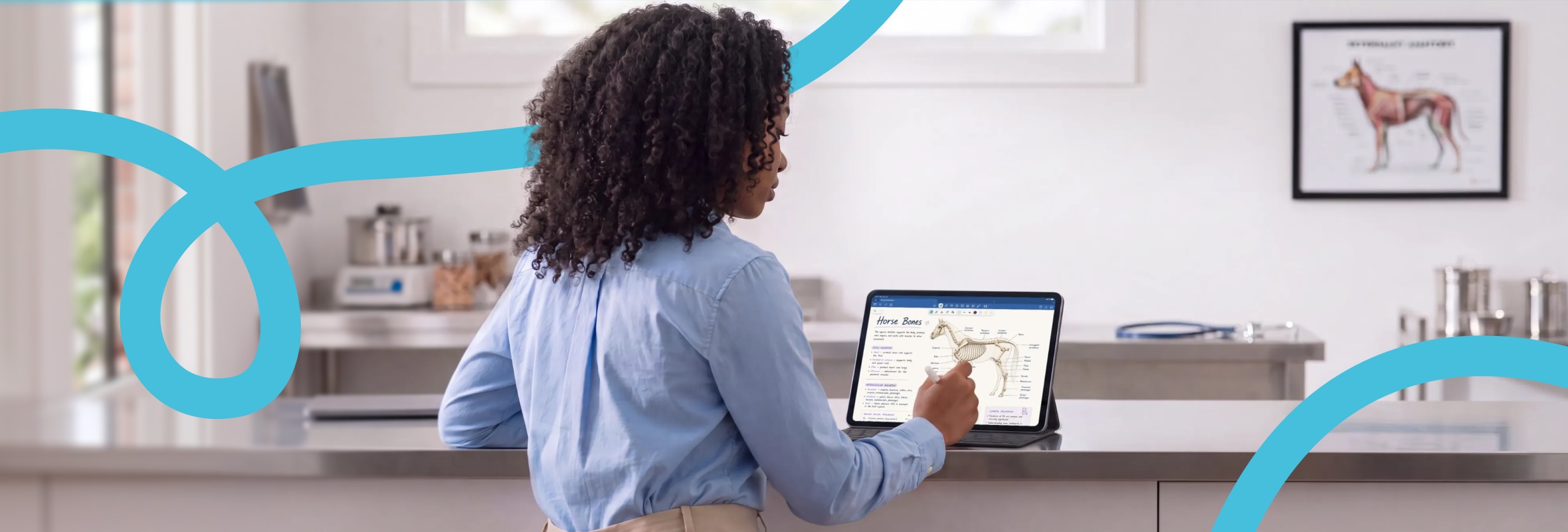
Jessica works more visually. “I’ll take pictures of the slides under the microscope,” she says, “and transfer those pictures over into Goodnotes into my lab folder, then make annotations, label the body parts, or whatever.” She occasionally turns a photo into a sticker, just to make the page more her own. Mathilde’s first-year labs stayed close to the microscope too, mostly histology and dissection, with her clinical labs, and real cases, still ahead in her second year.
Studying for exams
Three different strategies are employed here. Myles works through practice questions in his memory-heavy molecular biology classes directly in Goodnotes, writing out his process before checking it against the answer key.
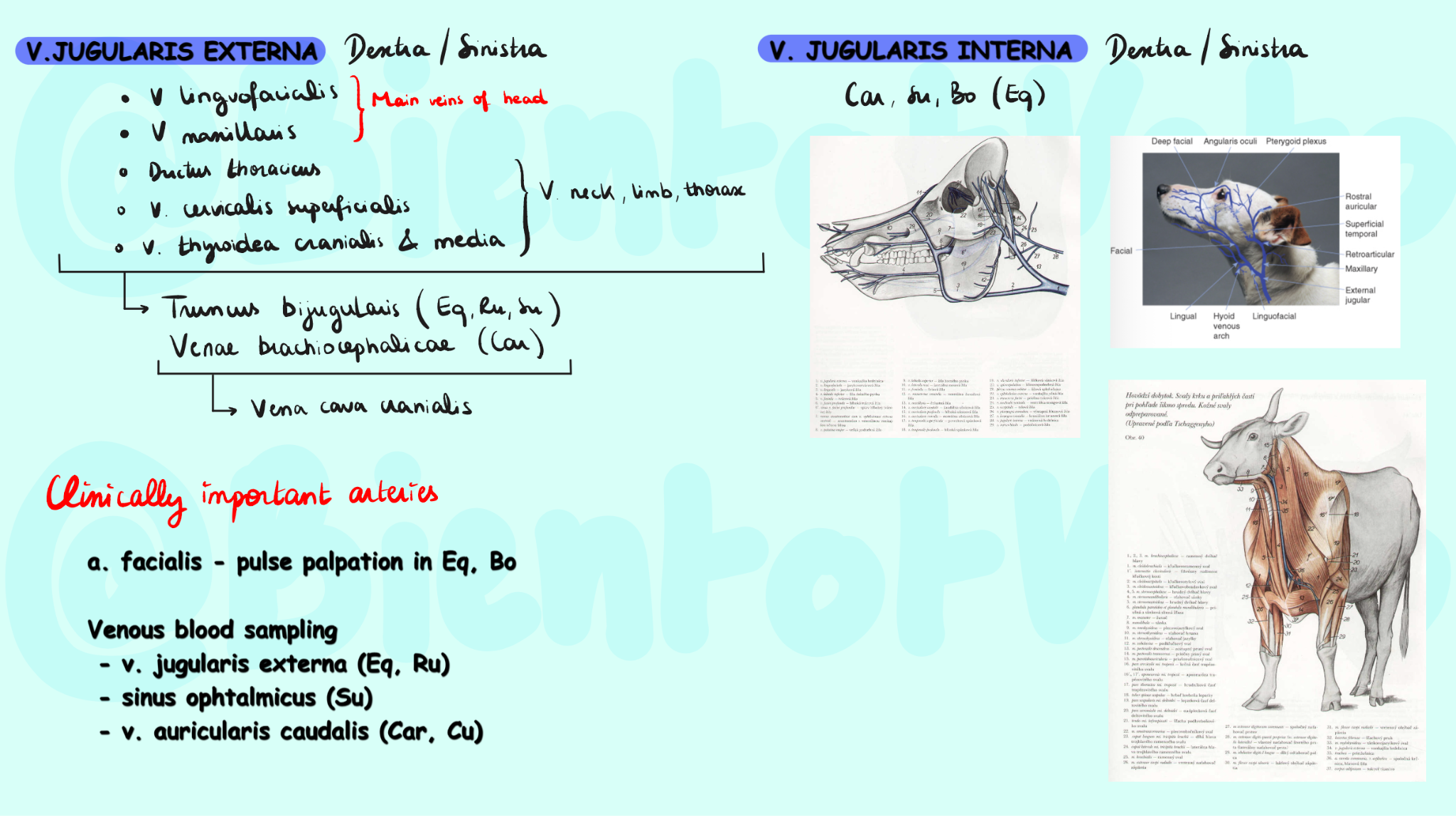
Mathilde goes further into flashcard mode, drawing cards by hand with the Apple Pencil. “When I do my flashcards, I can do art and study at the same time,” she says. “So that’s why it’s good for me also.” She also pulls images straight out of lecture PDFs with the image cut-out tool.
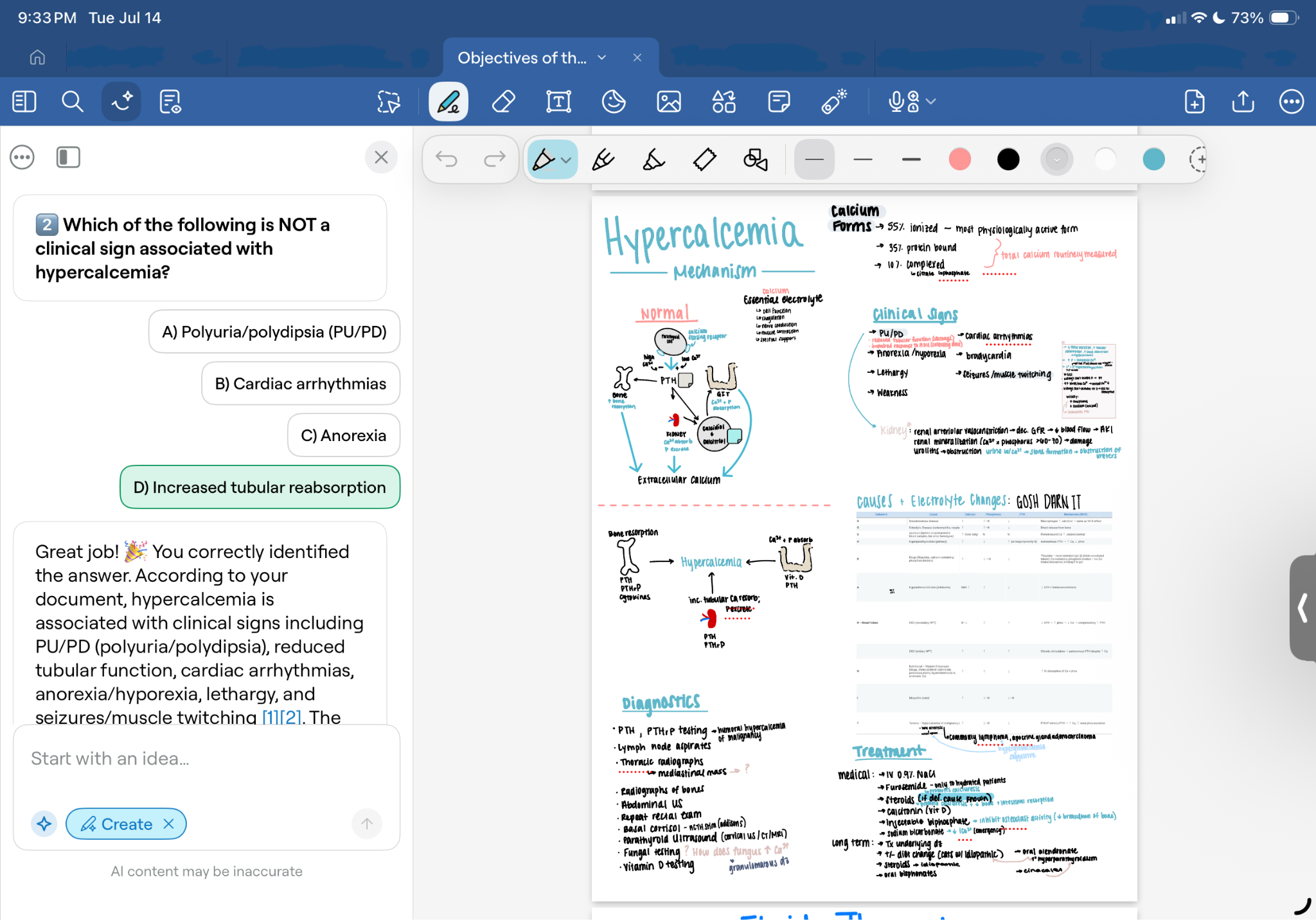
Jessica jumped on Goodnotes’ Quiz Me feature the moment it launched. “As soon as it came out, I jumped all over it,” she says. She uses it to generate multiple-choice questions from her own notes in the same format her exams use, plus Summarize when she wants a quick recap of a PowerPoint.
Studying away from home
Mathilde studies in Slovakia but is originally from France, after trying to get into vet school in a couple of different countries first. For her and her international classmates, one iPad has replaced every textbook and notebook. “We just have to carry our iPads,” she says. “There are no notebooks at all. I know that everything is on my iPad.”
Different systems, but with the same habits underneath
Myles, Mathilde, and Jessica arrived at their setups separately, and none of them studied the same way before finding it. But a few habits show up across their systems: A folder structure set up early, before the semester gets busy, and annotating directly on an existing PDF whenever the material allows it, rather than rewriting everything by default.
Personalizing the system matters too, enough that it stops feeling like a chore. Jessica has used the same custom color for every note since her first day of vet school. “All my notes are just pink, pink, pink,” she says. “I custom created it from the color thing, and I’ve been using the same color since I started vet school.”
Advice for anyone just starting
Mathilde: Don’t give up. “I’m 26,” she says. “I tried in a lot of countries. There’s a lot of people that will give up before it finally happened. But life can change drastically just by following the plan, and sometimes it’s just one try that will change everything.”
Jessica: Your system doesn’t have to look like anyone else’s. She tried flashcards because that’s what someone else did, and they didn’t work for her. She tried study groups and found she did better alone. “Being okay with it not looking like how everybody else studies,” she says, “once you find what works best for you, don’t ever feel bad about what works best for you.”
Three features worth trying first
- Quiz Me turns your own notes into multiple-choice self-testing, no extra prep required
- Flashcards with image cut-out pull a diagram straight out of a PDF and turn it into a study card in seconds
- Lasso and infinite canvas rearrange notes freely and build mind maps without running out of room
Try it yourself
Download Goodnotes for free, and start by setting up your folders before the semester starts, one per class, broken into units or topics. Annotate your first lecture PDF, then pick one feature and build a habit around it before adding the rest.