TL;DR
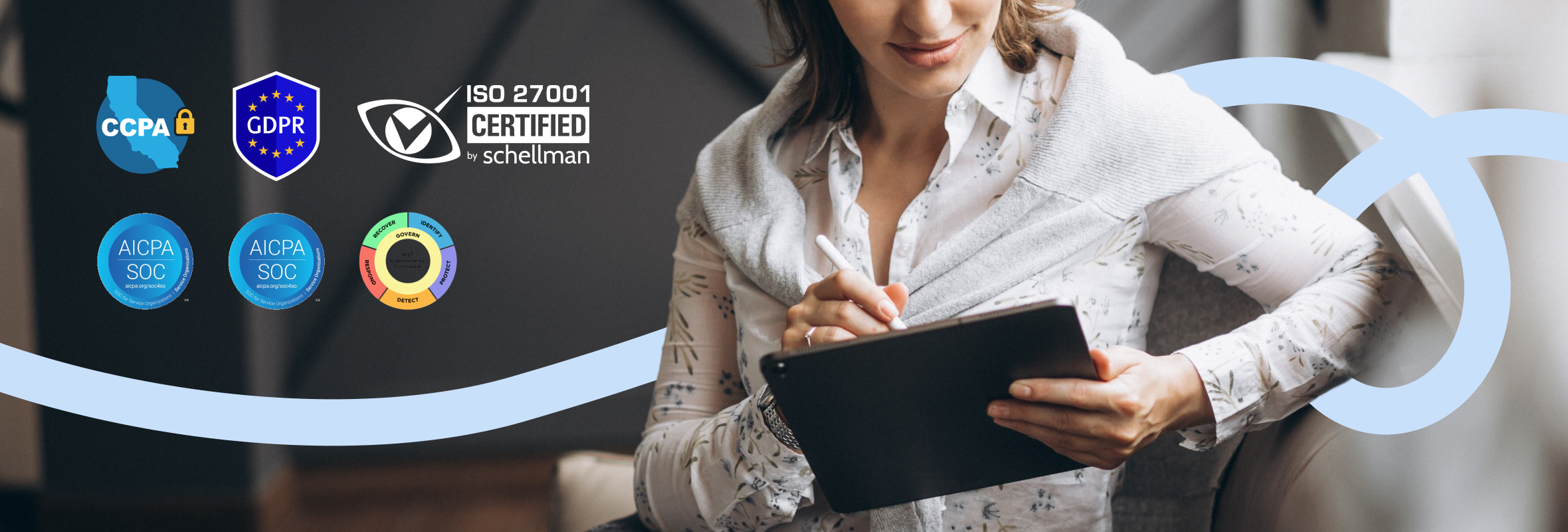
- SOC 2 Type 2, SOC 3, and ISO 27001 certified, with independent pen testing every year
- The SOC 3 report is public, so you can read it on the Trust Center with no NDA
- Goodnotes Teams syncs in the cloud and supports SAML SSO
- Goodnotes Enterprise keeps data on your devices and your own storage, managed through MDM
- GDPR and CCPA compliant, and your notebook content is never used to train our AI
The information on this page is a high-level summary of our security and compliance controls for informational purposes only. For the complete legal terms governing our services, including data processing and security commitments, please refer to our Data Processing Addendum, Terms of Service, and other official legal agreements. This page is not a substitute for reviewing our formal legal documents.
Security questions shouldn't slow down a good decision. This page brings together the certifications, audits, and policies that IT and security teams ask about most when evaluating Goodnotes, explaining how our two business plans, Goodnotes Teams and Goodnotes Enterprise, handle your data. Our SOC 3 report is available to read directly on our Trust Center—no NDA required. If you need something that isn't covered here, our full audit reports (SOC 2 report, ISO 27001 certificate, penetration test report, and insurance confirmation) are available on request through the same Trust Center.
What security certifications does Goodnotes hold?
Goodnotes maintains independent, third-party validation of its security program. Any vendor can say its product is secure; these are the certifications and reports that show an independent auditor agrees.
- SOC 2 Type 2: Covering the Security, Confidentiality, and Privacy Trust Services Criteria. Our current report covers the period 1 July 2025 to 30 June 2026, was issued by Schellman & Company, LLC, and carries an unqualified opinion. Unlike a Type 1 report, which is a point-in-time snapshot, a Type 2 report tests whether our controls operated effectively over a sustained period, across areas including access control, encryption, change management, vendor risk, and incident response.
- SOC 3: A general-use report on the same examination period (1 July 2025 to 30 June 2026), same auditor, and same Trust Services Criteria (Security, Confidentiality, and Privacy), also with an unqualified opinion. Because a SOC 3 is designed for public distribution, it is the only one of our audit reports available without an NDA—your team can read it on our Trust Center today, and share its conclusions with stakeholders an NDA wouldn't cover.
- ISO/IEC 27001:2022: Certifying that Goodnotes operates a formal Information Security Management System (ISMS)—the policies, risk assessments, and governance behind our day-to-day controls. The certification covers the ISMS supporting Goodnotes, SaaS products, and AI features, and is subject to ongoing surveillance audits.
- Independent penetration testing: Beyond continuous internal scanning, we commission independent third-party penetration tests at least annually and ahead of major releases, assessed against the OWASP Top 10 and OWASP ASVS. Full findings are available in the report on request.
- Cyber insurance: Goodnotes maintains cyber, professional (errors & omissions), public, products, and employers' liability coverage.
The SOC 3 report is the only report above available without an NDA. The full SOC 2 report, ISO 27001 certificate, penetration test report, and insurance confirmation all remain available exclusively under NDA through the Trust Center.
What our latest audit confirms
Because the SOC 3 is a public report, we can now cite audited control detail directly rather than asking you to take it on trust. Among the controls the report describes:
- Access to production infrastructure requires multi-factor authentication via SSO, with server access over SSH using private keys through a zero-trust authentication solution.
- Production access is provisioned through infrastructure-as-code with mandatory second-person approval, and offboarding is automated—termination in the HR system automatically disables the employee's identity provider account.
- Automated backups take scheduled snapshots of production data and systems daily, and our business continuity and disaster recovery plan is tested annually.
- No code merges to master without peer approval, enforced by the version control configuration, with automated QA testing on every pull request.
- Security incidents are documented and tracked to resolution, with a post-mortem report completed for every identified security incident.
- The report requires no complementary controls at user entities, meaning the audit opinion does not depend on security obligations falling on you as the customer. The only customer responsibility listed is deleting your own confidential data.
The SOC 2 and SOC 3 examinations cover the Security, Confidentiality, and Privacy criteria; Availability and Processing Integrity are not in scope. For contractual availability commitments, speak to your Goodnotes contact.
How does Goodnotes protect customer data?
Goodnotes is hosted in Goodnotes Cloud, our cloud infrastructure on Amazon Web Services (AWS), under a shared-responsibility model: AWS secures the underlying physical infrastructure, and Goodnotes secures everything on top of it—application code, identity and access management, network configuration, and customer data. Production systems are separated from our internal corporate systems.
Key technical and organizational measures behind Goodnotes Cloud, including those set out in our public Data Processing Addendum:
- Encryption at rest. Data in Goodnotes Cloud is encrypted at rest.
- Encryption in transit. Data is encrypted in transit between your devices and Goodnotes Cloud using TLS.
- Restricted, logged network access. Access to the network is heavily restricted and logged using Teleport, so administrative access is controlled and auditable.
- DDoS protection. Traffic is protected against distributed denial-of-service attacks using AWS Shield.
- Intrusion detection. Threat and intrusion detection is in place through our SIEM monitoring.
- Tenant isolation. Goodnotes Cloud is multi-tenant, with customer data held in shared infrastructure. Access is enforced through strict, per-account access controls at the application layer, so day-to-day access by one customer does not reach another's data.
Because Goodnotes Cloud runs on AWS, we inherit the resilience and high availability of one of the world's most mature cloud platforms.
Where is your data stored with Goodnotes Teams and Enterprise?
This is usually the first thing a security team wants to pin down, and it's the clearest difference between the two business plans.
Goodnotes Teams is our cloud plan. Because it's account-based, each user signs in with their own Goodnotes account:
- Their notebooks sync automatically across all their devices through Goodnotes Cloud: iPad, iPhone, Mac, Android, Windows, and the web.
- Notebooks are stored securely in Goodnotes Cloud, with encryption at rest.
- Goodnotes Teams suits most organizations that want quick, cross-platform rollout with central management.
Goodnotes Enterprise is built for organizations that want tight control over where their data goes. It's delivered as a license key deployment: on-device, with customer-controlled data storage and no user accounts. Everything in this section describes that license key model:
- The app is activated by a license key pushed to managed devices by your MDM - not by individual accounts.
- There is no Goodnotes Cloud and no Goodnotes account - so no note data is ever sent to Goodnotes.
- Storage and backup are yours to configure. You can keep backups on a WebDAV server you host and control, allow cloud providers such as OneDrive, Google Drive, Dropbox, or iCloud where your policy permits, or turn backup off entirely - each option is enabled or disabled centrally through the configuration (AppConfig) your MDM pushes. These controls are available on every Enterprise license key deployment.
- When your IT team configures full isolation—WebDAV-only, with cloud backup disabled—your notes and documents stay entirely within your own infrastructure.
Goodnotes Enterprise is available for deployments of 25 or more devices. For teams with the strictest requirements it is, for now, the most tightly controlled way to run Goodnotes.
Does Goodnotes support SAML SSO?
On Goodnotes Teams, users sign in with individual accounts managed centrally through the Admin Console. We support single sign-on so you can bring Goodnotes into your existing identity stack:
- SAML SSO with major identity providers, including Microsoft Entra ID, Google Workspace, and Okta.
- OIDC sign-in with Google, Microsoft, and Apple.
Administrators get centralized control over user access, onboarding, and offboarding through the Admin Console, including domain verification and a CSV export of the user list (with join date, invite date, and identity provider) for auditing. See our SAML SSO setup guide.
On Goodnotes Enterprise, access is controlled at the device level through your MDM rather than through individual accounts. There are no user accounts and no sign-in so identity-based features such as SSO do not apply. Only managed devices carrying the license key can use the app.
Does Goodnotes support MDM deployment?
- MDM support. Deploy and manage Goodnotes through Microsoft Intune, Jamf Pro, and other standard MDM platforms.
- Configuration. On Goodnotes Enterprise, you control which features are enabled or restricted through configuration profiles (AppConfig) pushed by your MDM.
- Microsoft Intune app protection. On Goodnotes Enterprise, you can apply Microsoft Intune app protection (the Intune App SDK) on iPad and iPhone to enforce controls such as app-level encryption, PIN or biometric unlock, copy-and-paste and open-in restrictions, conditional launch, and selective wipe. Available for deployments of 56 or more devices.
- Platform coverage. Goodnotes Teams runs on iPad, iPhone, Mac, Android, Windows, and web. Goodnotes Enterprise is available on iPad and iPhone (iPadOS / iOS) only.
- Network requirements. On locked-down networks, you may need to allowlist Goodnotes traffic. See Allow Goodnotes to operate within your network.
Is Goodnotes GDPR and CCPA compliant?
Goodnotes is compliant with both the GDPR and the CCPA. As a data processor, we enter into a Data Processing Addendum with customers reflecting GDPR requirements—including data subject rights, breach notification, and use restrictions—and our privacy practices align with the CCPA and similar laws. See our Privacy Policy for details. Our data-processor role is also independently examined: our SOC reports scope privacy criteria to the processor's responsibilities, with controller-side duties (such as notice and consent to data subjects) resting with the customer.
Do you use my notes or handwriting to train AI?
No, not by default. Goodnotes does not access or collect content from your notebooks to train its AI features. On-device handwriting features never send data anywhere. Server-side AI features process content only to deliver that feature to you, and our AI providers are contractually restricted from using it to train their own models. Voluntary in-app feedback is always opt-in. AI beta features are governed by our Supplementary Terms and Supplementary Privacy Notice for AI beta features.
AI and your Library. Goodnotes does not access your Library when you use AI features, including Ask Goodnotes. AI features process only the specific content you actively select, upload, or share with that feature—for example, a document you ask a question about—never your wider Library.
Retention and deletion. Customers can delete or modify their own data at any time and can request full account deletion, validated against our data disposal commitments in the DPA.
Selling data. We do not sell personal data. We disclose customer or end-user data only where required by law or to vendors bound by signed security, confidentiality, and privacy agreements.
Subprocessors. Like most SaaS providers we rely on a small number of vetted subprocessors (for example, cloud infrastructure). The current list is published in Appendix 2 of our DPA, reviewed at least annually under signed agreements.
How does Goodnotes handle security and vulnerability incidents?
Goodnotes runs continuous, automated monitoring and threat detection across our infrastructure, backed by a documented incident response plan covering identification, containment, remediation, and communication, with a post-incident report for every incident. If a confirmed incident affects your data, we notify you in line with our contractual obligations. We also run continuous automated vulnerability scanning, independent third-party penetration testing at least annually, and an ongoing bug bounty program. You can report a vulnerability via our bug bounty program or at security@goodnotes.com.
What are Goodnotes' physical and personnel security controls?
Goodnotes conducts background checks for roles with access to customer information, requires signed confidentiality agreements, and applies role-based access control. All employees complete security awareness training on joining and annually, with regular phishing simulations. Company devices are enrolled in MDM with enforced disk encryption, endpoint detection, remote wipe, and regular patching. Access to production systems follows a zero-trust, least-privilege model: requests are formally approved, every access event is logged and monitored, and access is revoked on offboarding. Source code is version-controlled with branch protection, mandatory peer review, and need-to-know access.
Where can I access Goodnotes' security reports and legal documents?
Goodnotes offers a Data Processing Addendum as part of standard contracting.
Do you need an NDA to access the Trust Center?
It depends on what you're looking for. The certifications, high-level policies, and FAQs on this page—our public legal documents (Privacy Policy, DPA, Terms and Conditions)—and our full SOC 3 report are available to anyone without an NDA. The SOC 3 is the only audit report this applies to. All other detailed evidence—the full SOC 2 report, ISO 27001 certificate, complete penetration test report, and insurance confirmation - is gated behind a mutual NDA in our Trust Center, since those reports describe specific control and architecture detail we don't make freely public.
Frequently asked questions
Can our users sync across their devices?
On Goodnotes Teams, yes, because it's account-based, each user's notebooks sync automatically through Goodnotes Cloud across iPad, iPhone, Mac, Android, Windows, and web. Goodnotes Enterprise keeps data on-device and does not use Goodnotes Cloud sync.
Can we keep our data off the cloud entirely?
Yes—that's what Goodnotes Enterprise is for. It runs on-device with customer-controlled data storage, so your notes never touch Goodnotes Cloud.
Can you complete our security questionnaire (e.g. HECVAT)?
Yes, Goodnotes regularly completes standard vendor security assessments. Most answers reference our SOC 2 report and ISO 27001 certification directly, and many can now be verified immediately against our public SOC 3 report. Reach out to your Goodnotes contact or our sales team.
How do we get your full security reports?
Goodnotes’ SOC 3 report is readable on the Trust Center right away - no NDA and no approval step. For the full SOC 2 report, ISO 27001 certificate, penetration test report, and insurance confirmation, request access through the Trust Center and get in touch with our team. Once we've connected and an NDA is in place, we'll grant access to the full documentation.
_
Talk to us about your requirements
This page is intended to speed up security and procurement reviews and is provided for information; it isn't a substitute for our contractual terms, DPA, or the full underlying audit reports. If your question isn't answered here, talk to our team or reach us via our Trust Center.