TL;DR
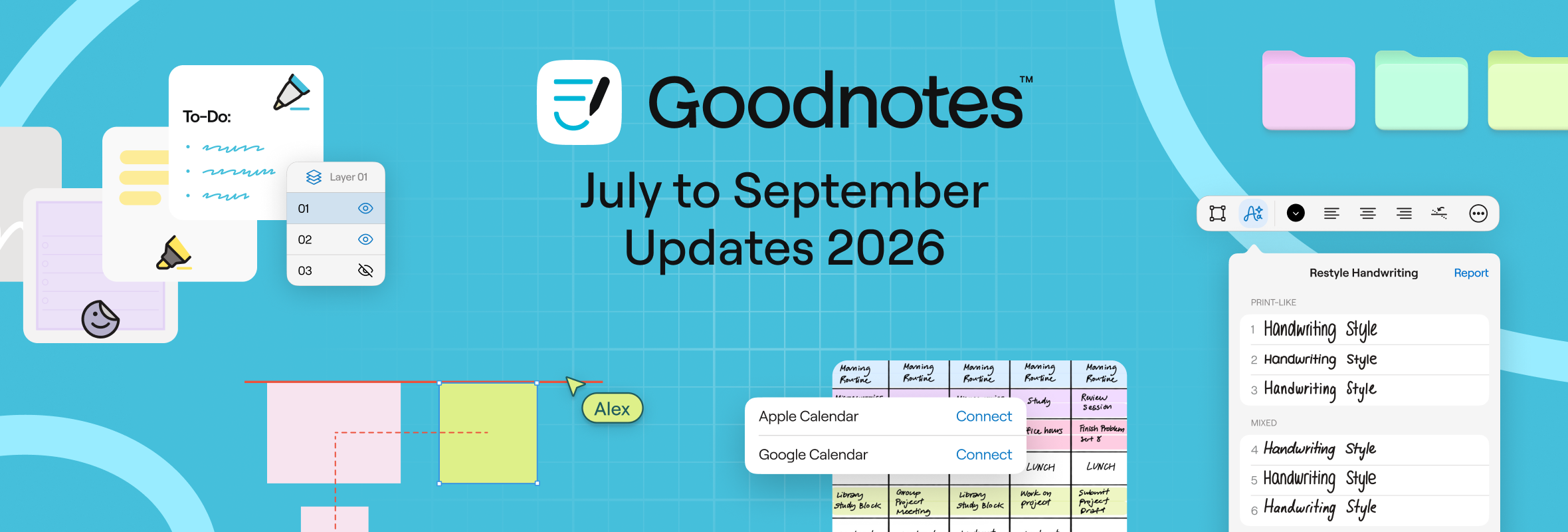
- Restyle turns messy handwriting into a cleaner, more readable style, free on Apple devices.
- Layers is rolling out in early access to Pro users on iPad and Mac.
- Objects now snap into place, Selective Eraser removes one content type at a time, and Quick Diagramming builds diagrams from a single shape.
Summer was jam-packed at Goodnotes. From a quick fix for messy handwriting and the first rollout of Layers to faster diagrams and several small-but-satisfying tweaks, there’s a lot to catch up on.
Here are all the latest updates between July and September.
The big updates
Clean up messy handwriting in style
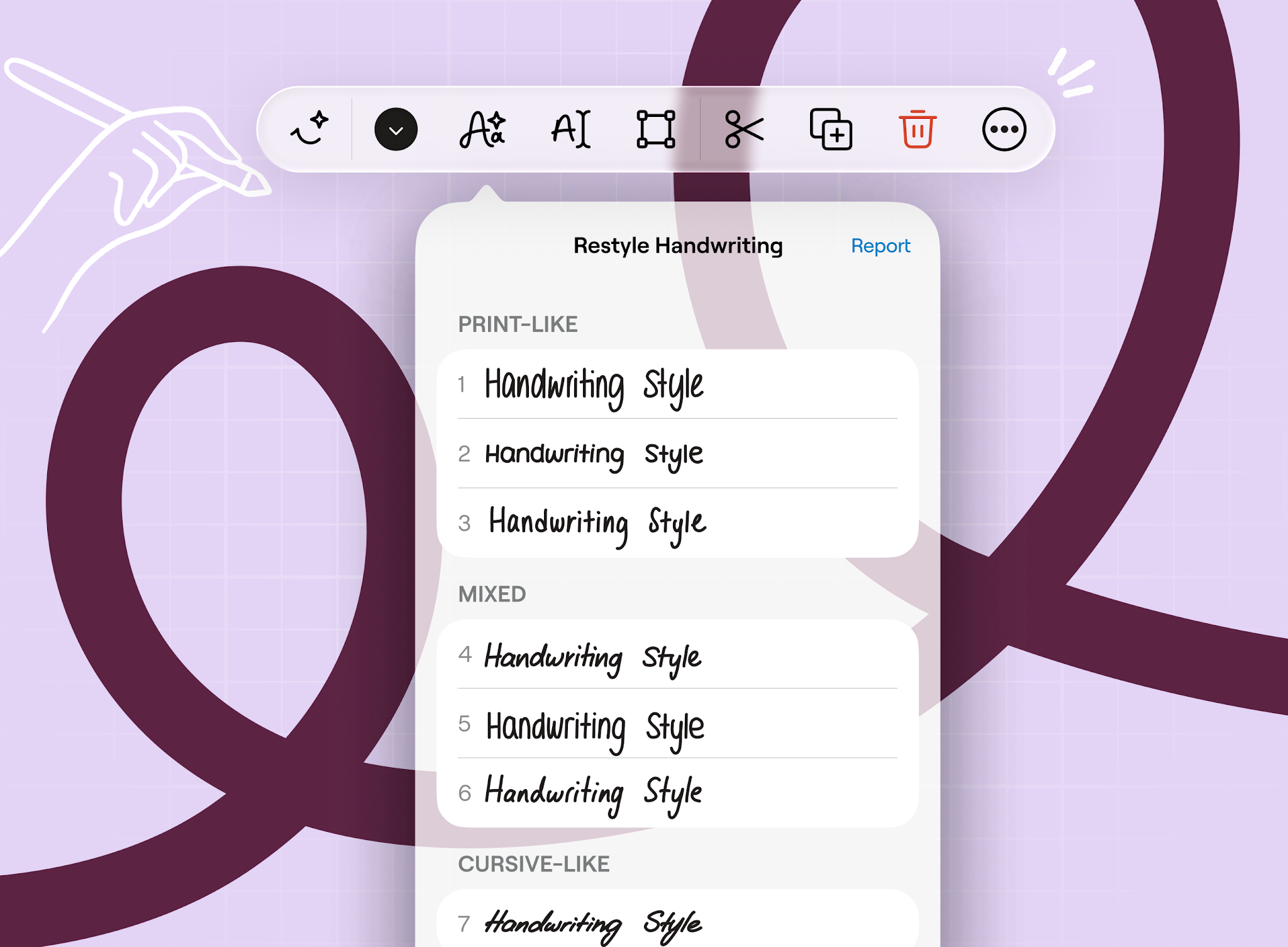
Fast notes are great until you have to read them back. With Restyle, you can turn messy handwriting into a cleaner, more readable style without rewriting it all manually. Lasso a section, tap the Smart Ink icon, choose Restyle, and pick a style. The words, layout, and color all stay exactly as they were. Perfect for tidying up lecture notes or making meeting notes easy to share.
Restyle is free on Apple devices, with more platforms to follow, and supports English, Dutch, French, German, Italian, Portuguese, Spanish, and Turkish.
Layers is now in early access
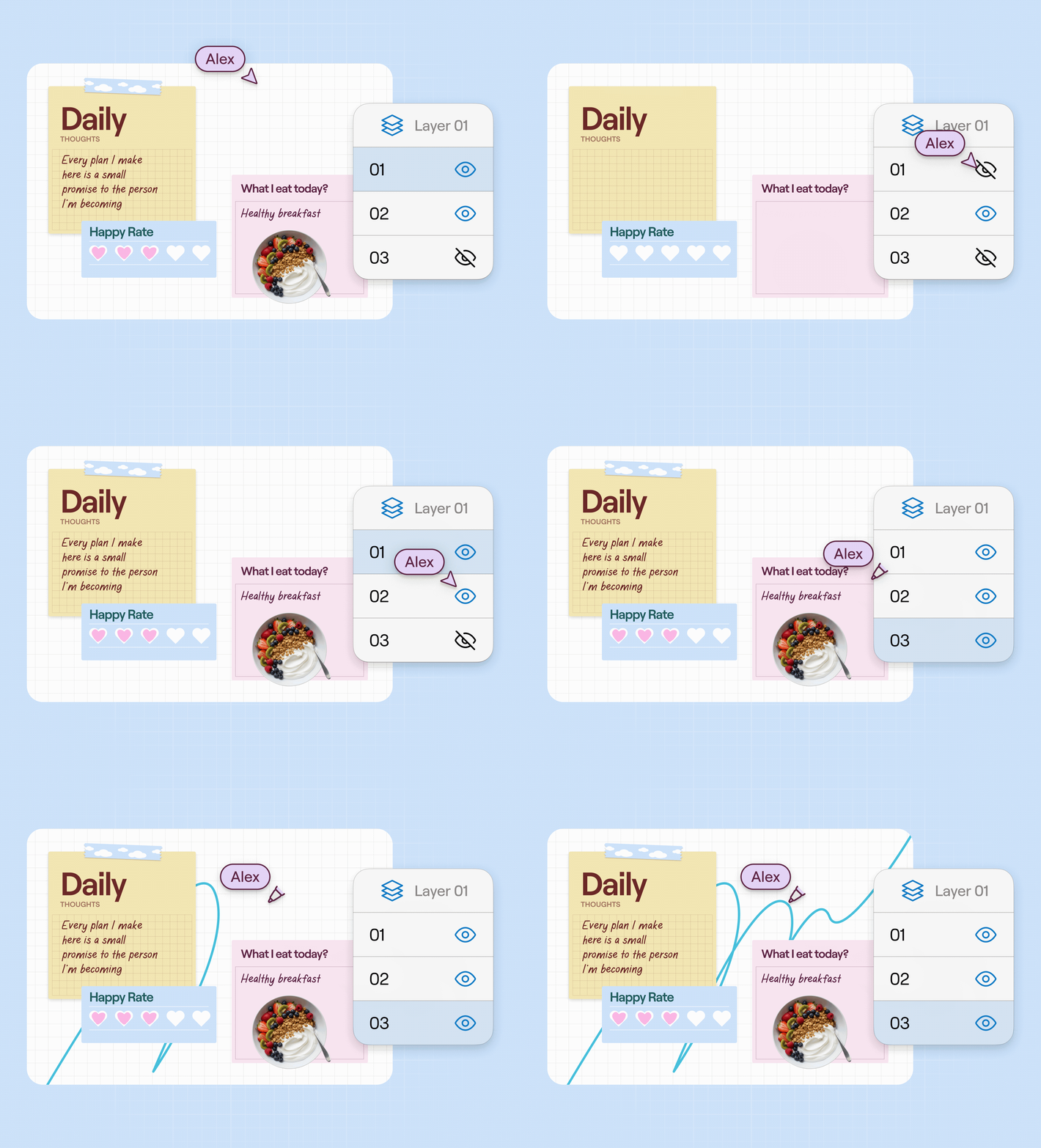
Layers has been our longest-standing feature request, and is finally rolling out. Write, sketch, or annotate on a new layer and everything underneath stays unchanged. Switch layers from the Layers panel on the page, and your pen, Lasso, and eraser tools only affect the layer you’re on. Hide a layer when you need it out of the way, and export only the layers you want.
An early version is rolling out in stages to Pro users on iPad and Mac, in Notebooks. Try it out and tell us what you think.
Smaller updates worth knowing
Objects click into place
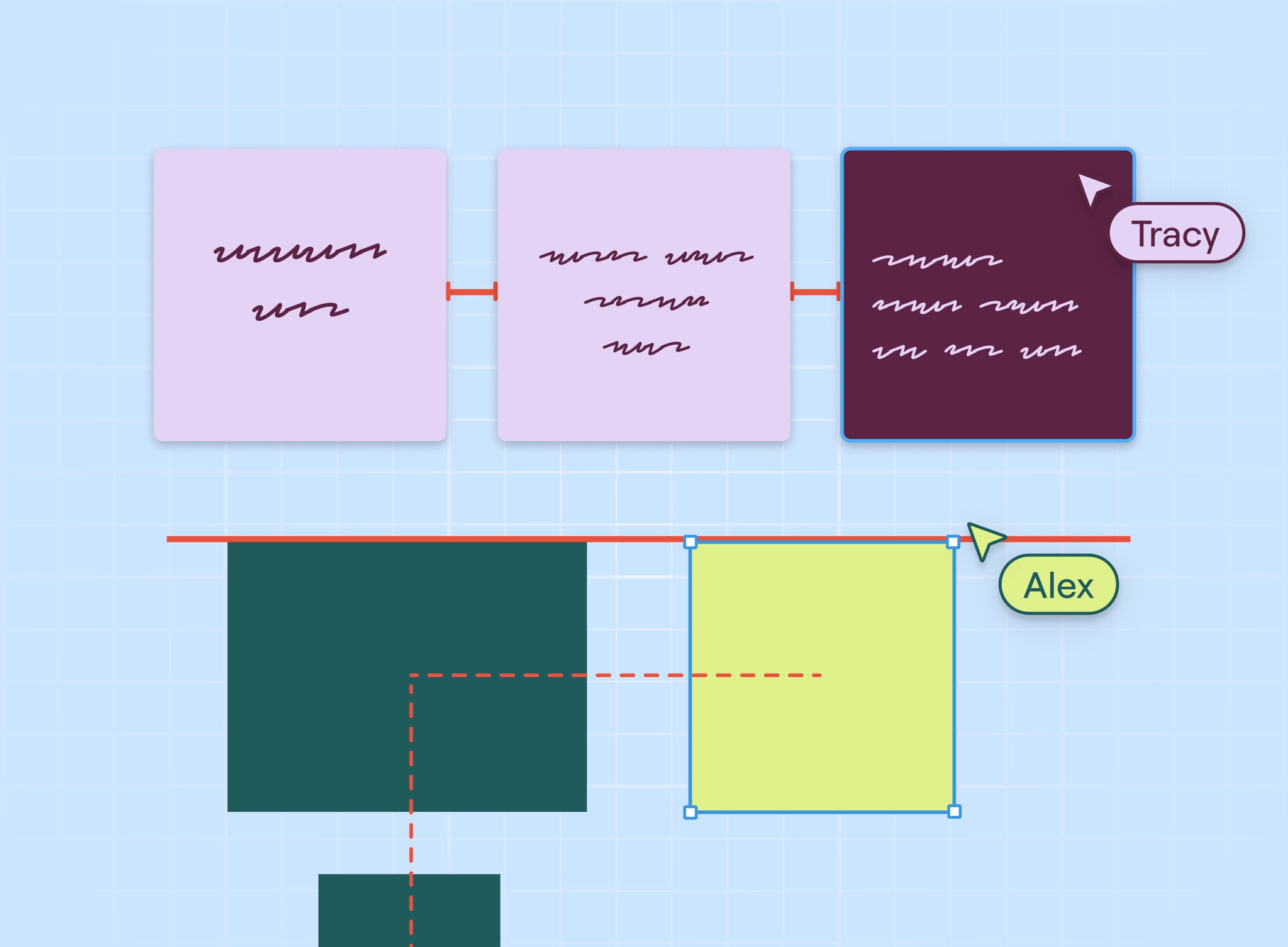
Move anything on your canvas and it snaps into place, with guide lines showing up whenever it lines up with nearby objects and the grid. Use it with handwriting, shapes, Sticky Notes, images, and Textboxes, or turn it off in Settings if you prefer free placement. Available on Apple, Android, Windows, and Web.
Selective Eraser
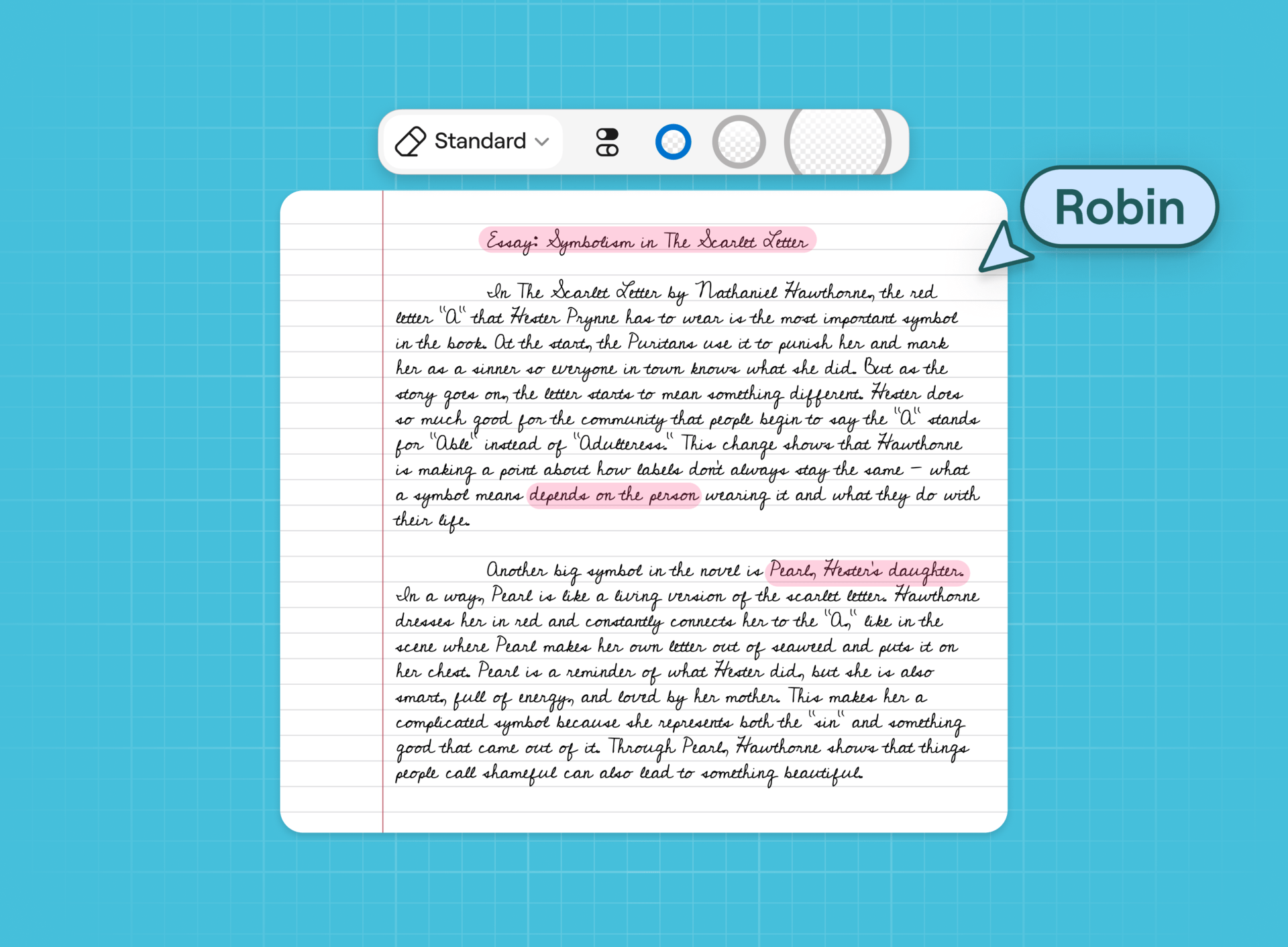
Clear highlights without touching your notes. You can now pick which content type to erase, then drag the eraser to remove only that type.
Available on Apple, Android, Windows, and Web.
Quick Diagramming

Build a whole diagram faster from a single shape with Quick Diagramming. Tap a dot on the edge of any shape to add a new connected shape, or attach to one nearby.
Connectors can now attach anywhere on a shape, and you can drag control points to fine-tune their path, or switch between curved and elbow styles in the selection menu. Available on Apple and Web.
Highlight typed text
You can now highlight typed text in Textboxes, Sticky Notes, and shapes. Unlike the Highlighter pen, the color is part of the text, so it moves with your words when you edit, resize or move things around. Available on Apple, Android, Windows and Web.
For Windows, Android and Web users
Custom folder colors
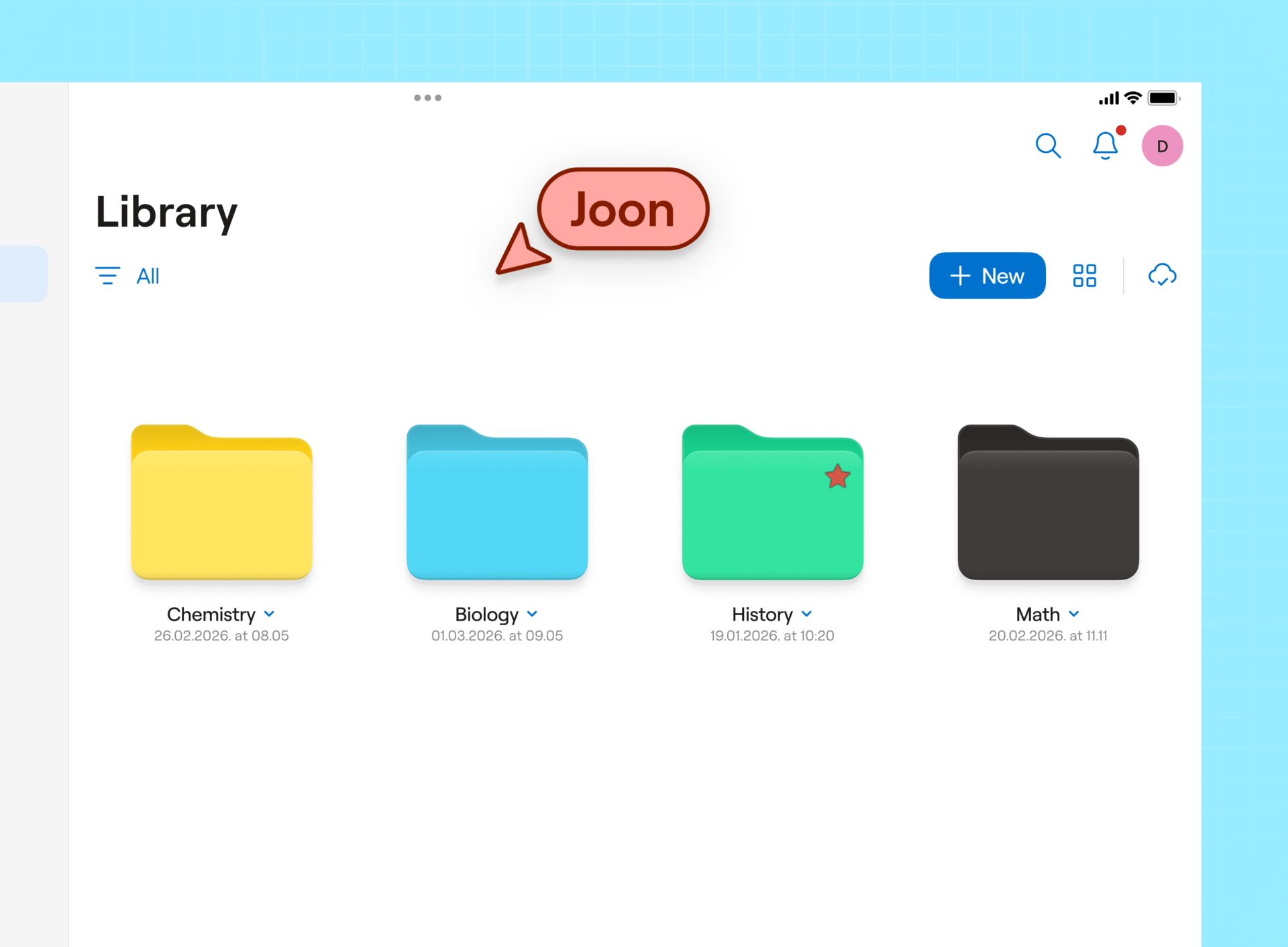
Folder colors are no longer limited to nine presets. Pick any color from the color wheel, or enter a HEX or RGB code, to make your library easier to scan at a glance.
Meeting Assistant on HP laptops
Pro users on eligible HP laptops can now record, transcribe, and summarize meetings on-device. That means you can capture meetings offline, with no AI credits used and no monthly hour cap. Available in English on HP laptops with Intel or Qualcomm processors, rolling out now.
Quality-of-life improvements
- Box and Dropbox support (Pro). Expand your cloud storage by importing files from Box or Dropbox, annotating them in Goodnotes, and saving a flat file back (or save-back on iOS).
- Your real schedule now in your planner (Pro). Google Calendar, Outlook Personal, and Outlook Business events now appear on the right day and time in your Goodnotes planner. Rolling out in stages on iOS.
- Record from the toolbar. Free and Essential users can now start recording with a single tap on the toolbar. When you stop, your summary opens so you can see what you captured.
- Scribble to text with Apple Pencil now works in Text Documents.
- New keyboard shortcuts for Text Documents, including lists, checklists, paste without formatting and table navigation. See the full list.
- Auto Backup runs less often by default to save battery. If you back up to third-party storage, you can back up manually or increase the frequency anytime in Cloud & Backup Settings.
Have a suggestion? Share your ideas with us for Apple apps or for Android, Windows, and Web apps.