ClassLink & Eduplaces roster sync: Less setup, smoother onboarding
Enable Goodnotes-ClassLink or Eduplaces roster sync to see your students and teachers reflected in your Goodnotes Admin Console right away - no manual invitations needed. Plus, Class Folders are pre-populated with the right students and teachers from day one, so they can get going from the moment they open the app.
See the full setup guide for Classlink here and Eduplaces here.
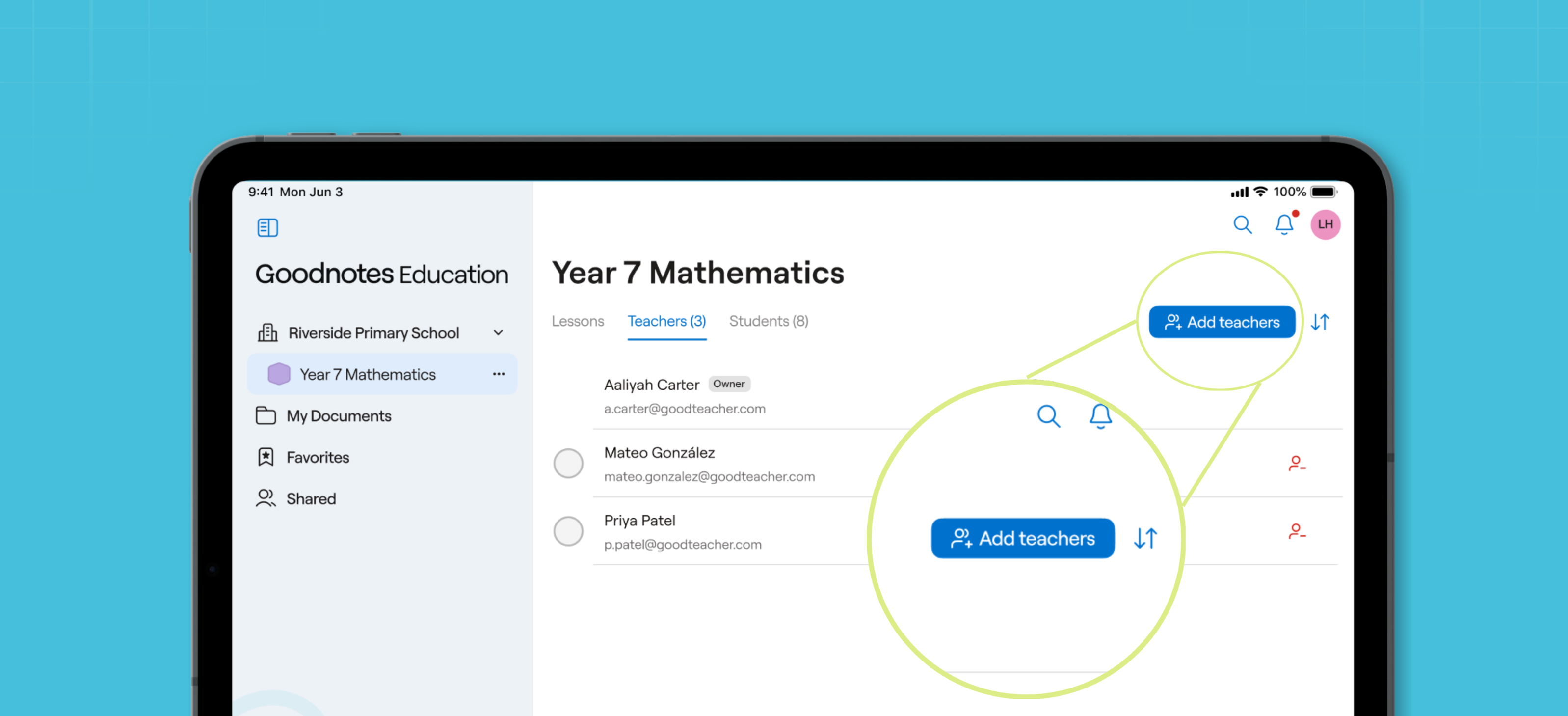
Add more teachers to your Class Folders
With co-teaching, you can add multiple teachers to a Class Folder, making it easier to cover absences, share lesson materials, and teach together - without everything depending on one Class Folder owner.
Go to the Teachers tab in your Class Folder, and tap Add teachers.
Make bulk user updates in the Admin Console
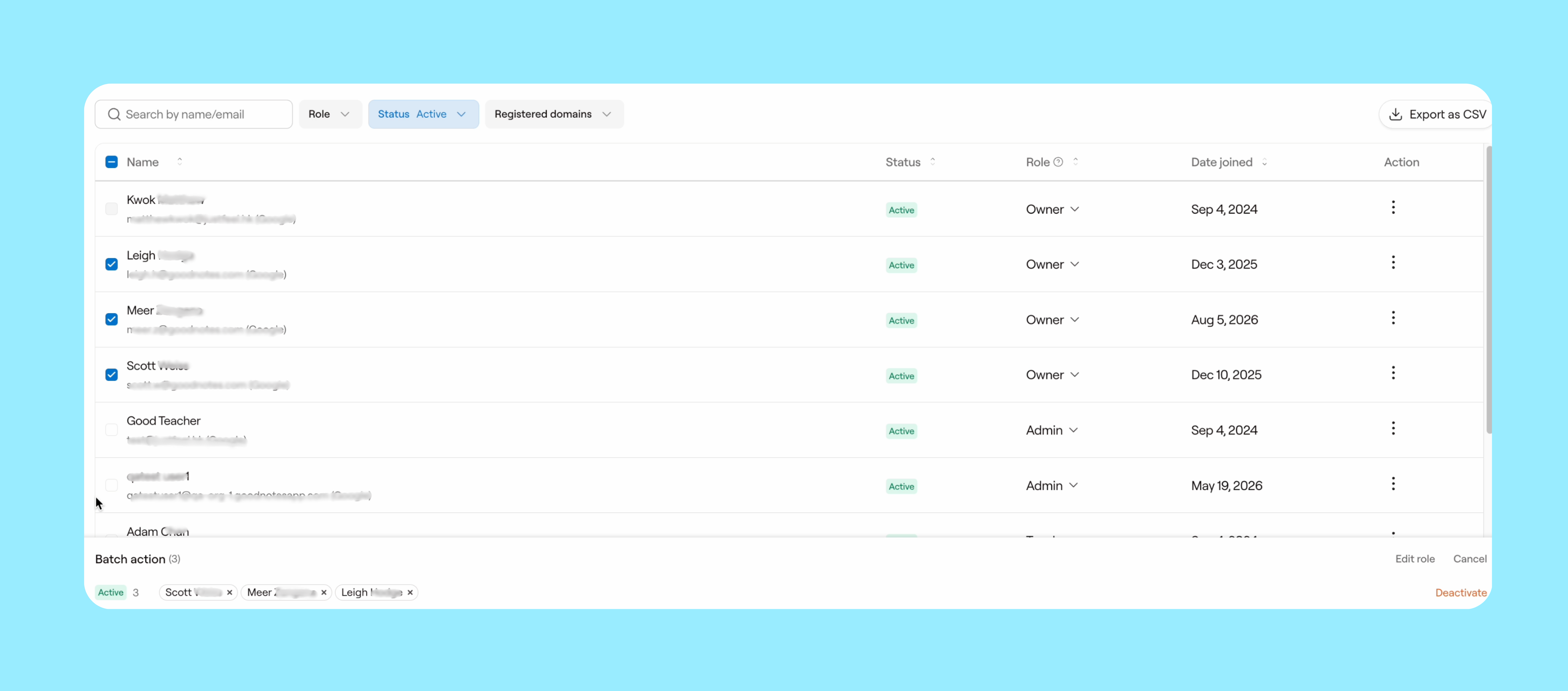
You can now resend invitations, deactivate and remove users, and change user roles in bulk - just head to the People section of your Admin Console.
Tip: Want to bulk-delete graduating students but don't have a naming convention for them? Export your student list as a CSV, tag graduating students with a shared word (like "graduating"), then re-upload via Bulk Update. Search for the word, select everyone at once, and delete them in one go - no more searching student by student!
Give your students 24/7 personalized support
.png)
Create and pre-approve AI-powered hints that your students can reveal one at a time when they’re stuck. See how they interact with the hints to inform future lessons, and spend less time answering repetitive questions, so you can focus on the complex ones where your expertise matters most. See how to use it here.
Try features ahead of time with our Sample Lesson
New to Goodnotes Education, or still finding your footing? Find our Sample Lesson in the left sidebar of your app. It's a ready-made lesson that walks you through our core features, complete with sample students, so you can feel confident ahead of lesson time.
.png)
Build your confidence, one video at a time
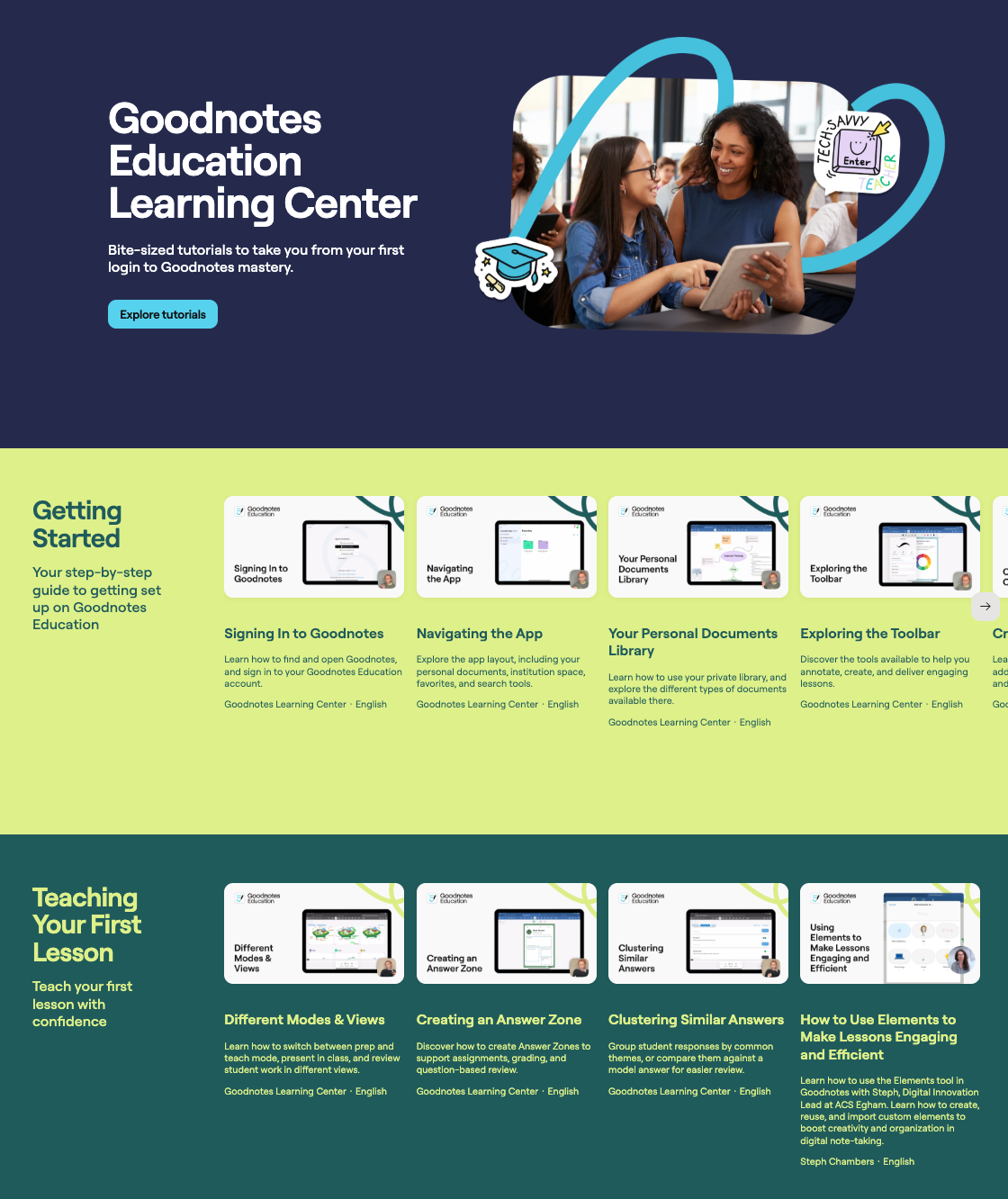
Our library of instructional videos, the Learning Center, is there whenever you need it. Explore bite-sized tutorials that highlight the pedagogy-backed features you might otherwise miss, and build your confidence at your own pace.
Update your device iOs and then your Goodnotes app to get access to these new features right away!