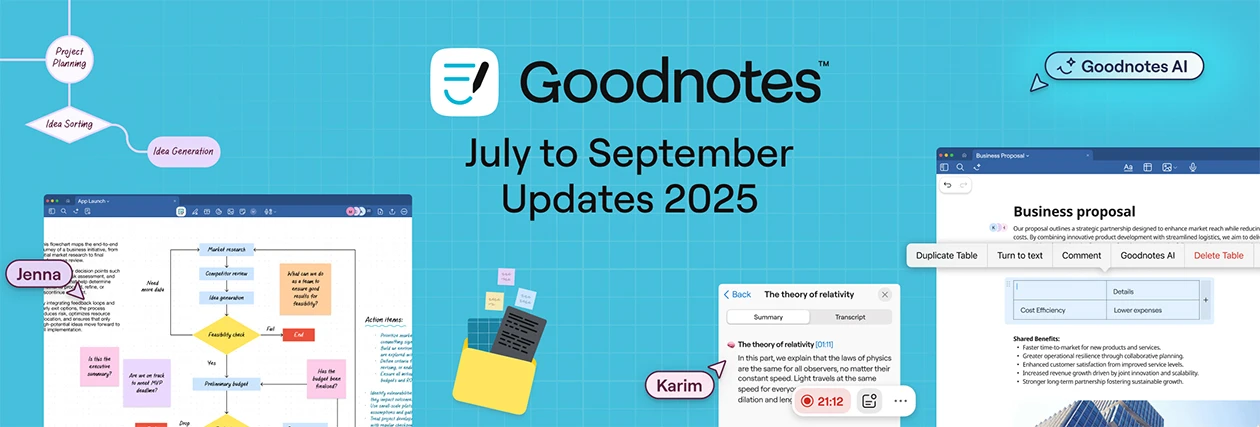
Goodnotes continues to evolve for the way you work. This quarter introduces Whiteboards, Text Documents, automated note‑taking, and Goodnotes AI — plus refinements shaped by your feedback. Whether you’re brainstorming, drafting, or collaborating, these updates help you work with less friction. Let’s dive into what’s new from July to September 2025.
🚀 The Big Updates
The following updates are included in Goodnotes for all users, with rollout notes where relevant:
Whiteboard
An infinite canvas for mind maps, brainstorming, and visual thinking. Learn more
.png)
Tip: Convert your existing notebooks into whiteboard when ideas need more space. Open Notebook tab settings → Convert to Whiteboard.
Text Documents
A powerful, block‑based editor for fast typing. Learn more
.png)
Improved Shapes and Diagrams tools
.jpeg)
Both Shapes and Diagrams tools have been rebuilt for polished diagrams, flowcharts, and mind maps: connectors, attached content, labeled shapes, and better export/clean-up for professional-looking visuals. Learn more
GIF and animated sticker support
You can now insert animated GIFs directly into your pages and whiteboards, bringing motion and personality to your notes. This also unlocks support for animated stickers, available for purchase from the Marketplace to make your notes more expressive and fun.
New marketplace templates
We've added 200+ new templates to the marketplace for meeting notes, retrospectives, and SWOT analyses. Use them to quickly create organized notes.
Goodnotes AI
Your built-in collaborator that helps you think faster, write better, and get more done. Learn more
.png)
🌟 Goodnotes Pro exclusives
For Goodnotes Pro users, you can unlock even more powerful tools for productivity and collaboration.
The fastest real-time collaboration yet
Enjoy faster real-time collaboration than ever before in Goodnotes, powered by cloud technology with ultra-low latency (less than 0.3s). Work together seamlessly with improved performance optimized for larger groups and complex projects. Learn more
.png)
Calendar integration for meetings
See your events inside Goodnotes, receive timely reminders, and get prompted to start a meeting doc automatically. Learn more
Private link sharing
Share notes securely with select teammates or classmates without making them public.
.png)
Download Goodnotes to see all the updates live on Apple, Android, and Microsoft.
Quality of Life & Platform Updates
Refreshed interface
- New toolbar for faster, more intuitive access to all tools.
- Reposition the floating menu to any side of the screen and hide it by tapping the Pen, Shapes, or Stickers icon.
- Object menu for smoother editing and formatting of selected elements.
- Enhanced selection behavior to manage multiple objects.
- You can now browse and use Marketplace templates right inside your notebook without needing to leave your workspace.
Apple Improvements
- Sort your Library by creation date and choose ascending or descending.
- Faster starts with a redesigned “Create document” flow.
- Attach comments to any object on the page — images, shapes, elements, or stickies — and those comments will stay linked as you move things around.
Android, Windows, and Web Improvements
- New toolbar tools: Ruler, tape, stickers, and image crop.
- Handwriting search now functions across handwritten notes, typed text, and PDFs (available in English and Spanish).
- Export PDFs without an internet connection.
- Import PDFs up to 1 GB (up from 250 MB) for large textbooks, reports, and decks.
- Open Goodnotes links directly in the Android and Windows apps.
- Multi‑select documents and folders to duplicate, move to trash, or delete permanently.
- Drag and drop items directly to the trash.
Upcoming Improvements
- Toolbar customization: More flexibility to organize your tools the way you like.
- Shapes tool: Better shape recognition, rotation support, improved minimum size handling, fill-only option, etc.
- Typing experience: Stability improvements for text boxes and full-page typing to ensure a smoother, more consistent writing process.
- Whiteboard and Text Docs: Ongoing performance enhancements to provide a seamless experience and support even more advanced use cases.
Have a suggestion? Share your ideas with us: for Apple apps or for Android, Windows, Web apps.