

TL;DR
A curated pick of Goodnotes Marketplace templates for the 2026-27 academic year, covering lecture notes, semester planning, ADHD-friendly layouts, assignment tracking and stickers.
- Templates save you building a note system from scratch: grid pages and full notebook systems for lectures, academic-year and study planners for semester planning, plus two ADHD-friendly options with shorter task lists and clearer visual cues.
- Several planners have free samples worth trying before you commit, an assignment tracker keeps deadlines in one view, and stickers double as fast navigation markers in a busy notebook.
A blank notebook is full of potential. It's also, if you're staring at one at 9am before a fast lecture, not always that useful.
Templates solve that. Instead of spending your first week building a system, you drop in a template and start. The structure is already there, all you need to do is fill it in.
The Goodnotes Marketplace has hundreds of student templates. These are the ones worth knowing about in 2026.
How to get a template into Goodnotes
It takes about thirty seconds.
- Open the Marketplace tab inside Goodnotes.
- Find a template and tap Get.
- It opens directly in Goodnotes as a notebook, ready to use.
That's it. Your template lives inside Goodnotes alongside everything else (slides, readings, notes) centralized in one place.
The best Goodnotes templates for college students
For lecture notes
Grid pages from Digital Student Notebook

Clean, flexible pages that work for any subject. A grid layout means you can write in rows, sketch diagrams, map out a concept, or do all three on the same page. A good default if you want a structured page without a lot of extra design around it.
Best for: biology, engineering, chemistry, or any course with diagrams and formulas alongside written notes.
Get it on Goodnotes Marketplace (open via Goodnotes app)
Smart Digital Notebook

A full notebook system, tabs, sections, and a design that feels considered rather than generic. Good for students who want one notebook that handles multiple courses without having to build their own folder structure from scratch.
Best for: humanities, social sciences, or any course that's mostly reading and writing.
Get it on Goodnotes Marketplace (open via Goodnotes app)
For planning your semester
2026-2027 Professional Productivity Planner

A clean academic year planner covering the full 2026-27 year. Monthly overviews, weekly layouts, and space for deadlines and goals, all without the visual noise. A good option if you want to plan ahead and keep the bigger picture in view.
Get it on Goodnotes Marketplace (open via Goodnotes app)
[Free Preview] Study Planner Pro 2026-2027

A free sample of a fantastic study planner. Weekly layouts, space for daily priorities, and assignment tracking built in. You can also personalize it to make it feel truly yours. Download the preview to try the format before committing to the full version.
Get it on Goodnotes Marketplace (open via Goodnotes app)
[Free Sample] Ultimate Study Planner

A free-to-download study planner with a colour-coded layout that makes it easy to spot different subjects and priorities at a glance. A good first template to try if you're not sure what planning style suits how you actually study.
Get it on Goodnotes Marketplace (open via Goodnotes app)
[Free sample] The 2026-27 Study Pro Planner (Landscape)

A landscape-format planner for students who prefer working with their iPad horizontally. Neutral tones, a spacious weekly layout, and enough room in each section to actually write in. Download the free sample to see if the format works for you.
Get it on Goodnotes Marketplace (open via Goodnotes app)
For students who need more structure
2026-2027 ADHD Structured Planner

Designed for students who find traditional planners overwhelming. Shorter task lists, clearer visual cues, and a layout that keeps each day manageable without asking you to plan two weeks out. The portrait format works naturally on iPad.
Get it on Goodnotes Marketplace (open via Goodnotes app)
2026-2027 ADHD Pro Study Planner

A more detailed ADHD-friendly planner, with space for assignment tracking, habit logging, and weekly goals alongside your daily tasks. The rainbow colour system means you can find what you're looking for at a glance, without reading every item first.
Get it on Goodnotes Marketplace (open via Goodnotes app)
For tracking what's due
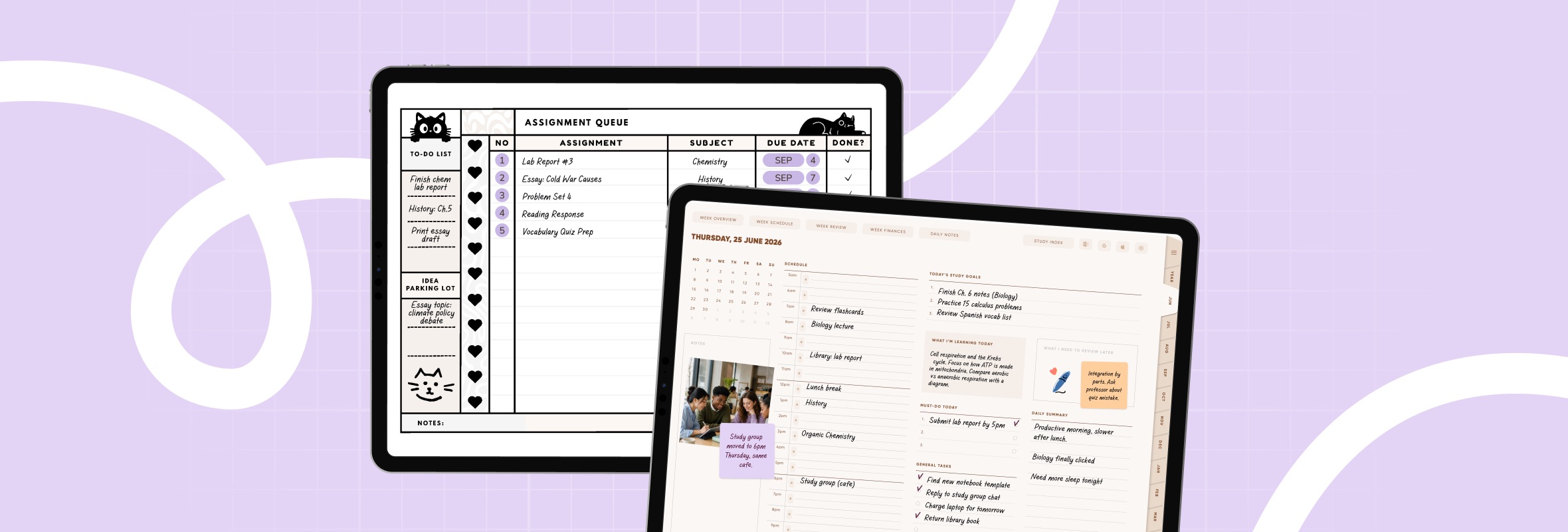
Assignment Queue | Subject, Due Date & Completion Tracker

A single-purpose tracker that keeps every assignment in one view, sorted by subject and due date. If you're running five courses and keep losing track of the smaller deadlines, this is worth having open alongside your notes.
Get it on Goodnotes Marketplace (open via Goodnotes app)
Stickers
Stickers aren't just decoration. In Goodnotes, they're one of the fastest ways to navigate a busy notebook. You can flag important content, mark pages you need to return to, or signal the start of a new topic. Much more visible than *, #, or a plain highlight.
Teaching Sticker Pack

Labels, flags, and markers built for student notebooks. Useful if you want to mark key points quickly while a lecture is moving fast, and find them again just as quickly during revision.
Get it on Goodnotes Marketplace (open via Goodnotes app)
Date Essentials Stickers

Clean date and calendar stickers for planners and weekly layouts. Good for marking deadlines, the start of a new topic, or exam dates in your notes.
Get it on Goodnotes Marketplace (open via Goodnotes app)
Find your template
These are a starting point. Browse the full library on the Goodnotes Marketplace to find what fits your courses, your subject, and how you like to study.
Goodnotes is free to download. Pick one template, try it for a week, and build from there.


.png)



