A bridge between manual and digital work
Despite her preference to write things down on paper, Kirsti’s work also has to exist digitally. Goodnotes gave Kirsti exactly what she needed: a reliable method of unifying her analog and digital processes. By bringing these elements together, Goodnotes creates an intuitive, flexible thinking space that removes unnecessary effort.
“Goodnotes is the sweet spot. It allows me to work in the way that my brain wants to work and create stuff that is tangible without losing the context digitally.”
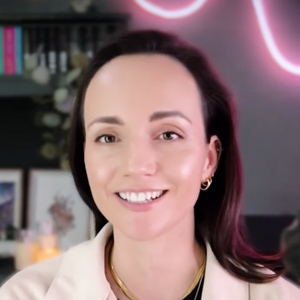
Kirsti Lang
Senior Content Creator, Buffer
In Goodnotes, Kirsti can finally watch her ideas take shape without changing her workflow. As a result, she can easily shape and refine them as they transform into finished content.
A workspace designed for focus and creativity
Kirsti’s productivity is closely connected to her environment, and that extends to the tools she uses. As someone with ADHD whose brain craves novelty, she is more present when she is in a pleasing environment, whether physically or digitally.
Goodnotes supports this by allowing full control over how a workspace looks and feels. The handwriting recognition feature keeps Kirsti’s notes legible and engaging, and she adds digital stickers and tape without having to spend days customizing a physical bullet journal.
“What attracted me to Goodnotes was the ability to be productive in a beautiful space, and a space that I could completely customize and curate for myself.”
Kirsti Lang
Senior Content Creator, Buffer
While Kirsti primarily uses Goodnotes as a private space, the clarity of her visual plans has a natural pull.
On LinkedIn, she once shared a screenshot of her Goodnotes planner, where she was creating a typical content plan as a template. The feedback was just as much about the medium as the message, with everyone asking,
“What are you using?”
“Where does this come from?”
“How did you make it look so nice?”
Reducing friction throughout the creative process
Goodnotes boosts efficiency by removing the persistent slowdowns common to many creatives -specifically the manual transfer of information. By using Goodnotes as a digital daily planner integrated with her Google Calendar, Kirsti can auto-populate events and track work and personal tasks in one view. Now, updating material and carrying it forward is seamless.
“I’ve developed a pretty good system where I’ll drag all of the tasks that I didn’t complete at the end of the day over to the next day on my calendar. That’s a huge time saver.”
Kirsti Lang
Senior Content Creator, Buffer
Apart from writing, Goodnotes makes it easy for Kirsti to map out concepts visually and structure content using spatial reasoning that other, more rigid tools don’t. For complex projects, like a recent YouTube series where multiple videos had to interlink, Kirsti used Goodnotes to draw the connections so everything made sense in her mind.
She also turns to Goodnotes to annotate visuals, such as drawing on photos and using graphics for her social carousels, which add an authentic, unique personal touch to her work.


