It's been a busy few months for Goodnotes Education, and we have a bunch of exciting new features we can't wait for you to try.
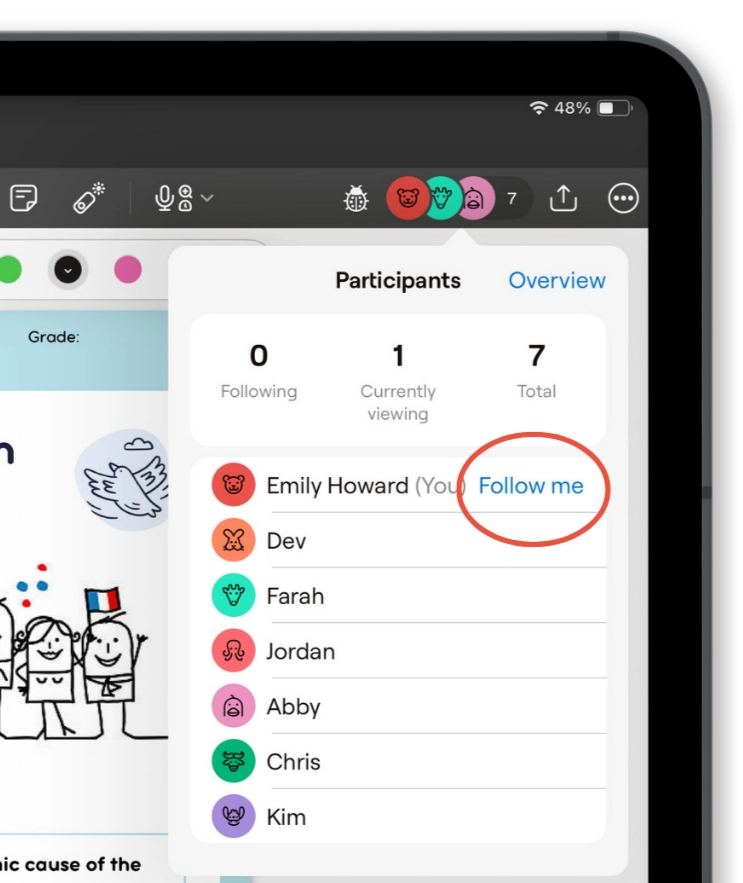
Keep everyone on the same page
Follow Me brings students to your page in one tap, syncing the page and zoom so they see exactly what you see. Meanwhile you have realtime visibility of who's following along and who isn't.
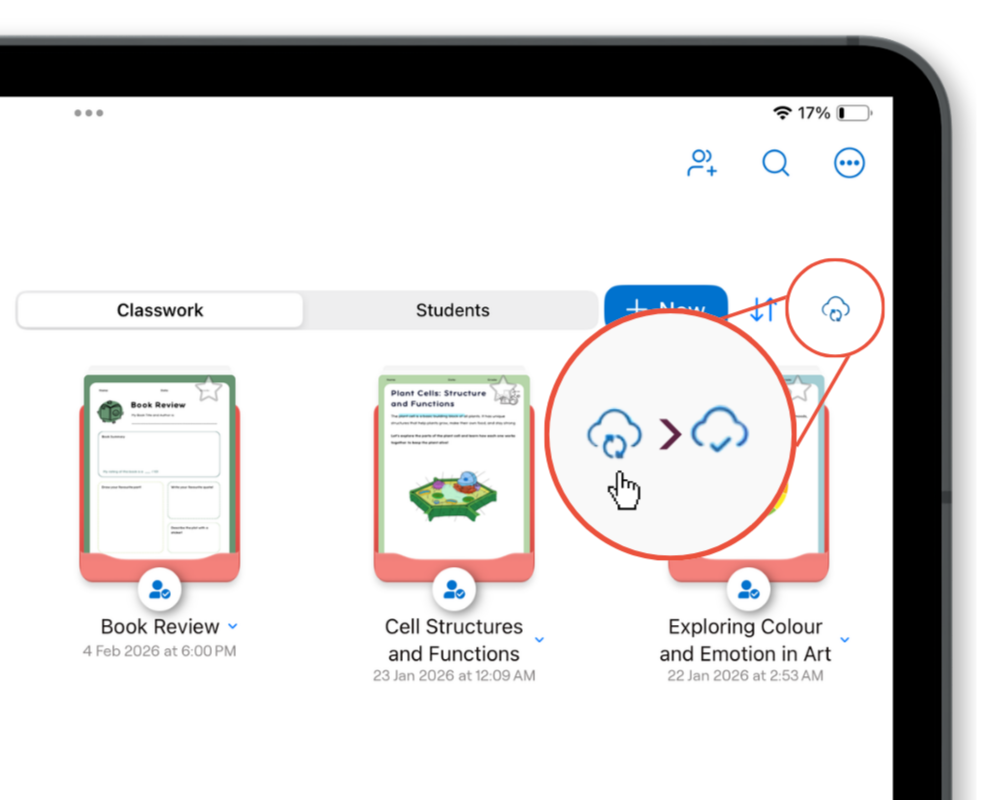
Make syncing faster
Students can now press a button to quickly access lessons in their Class Folder, rather tan waiting for them to auto-sync.
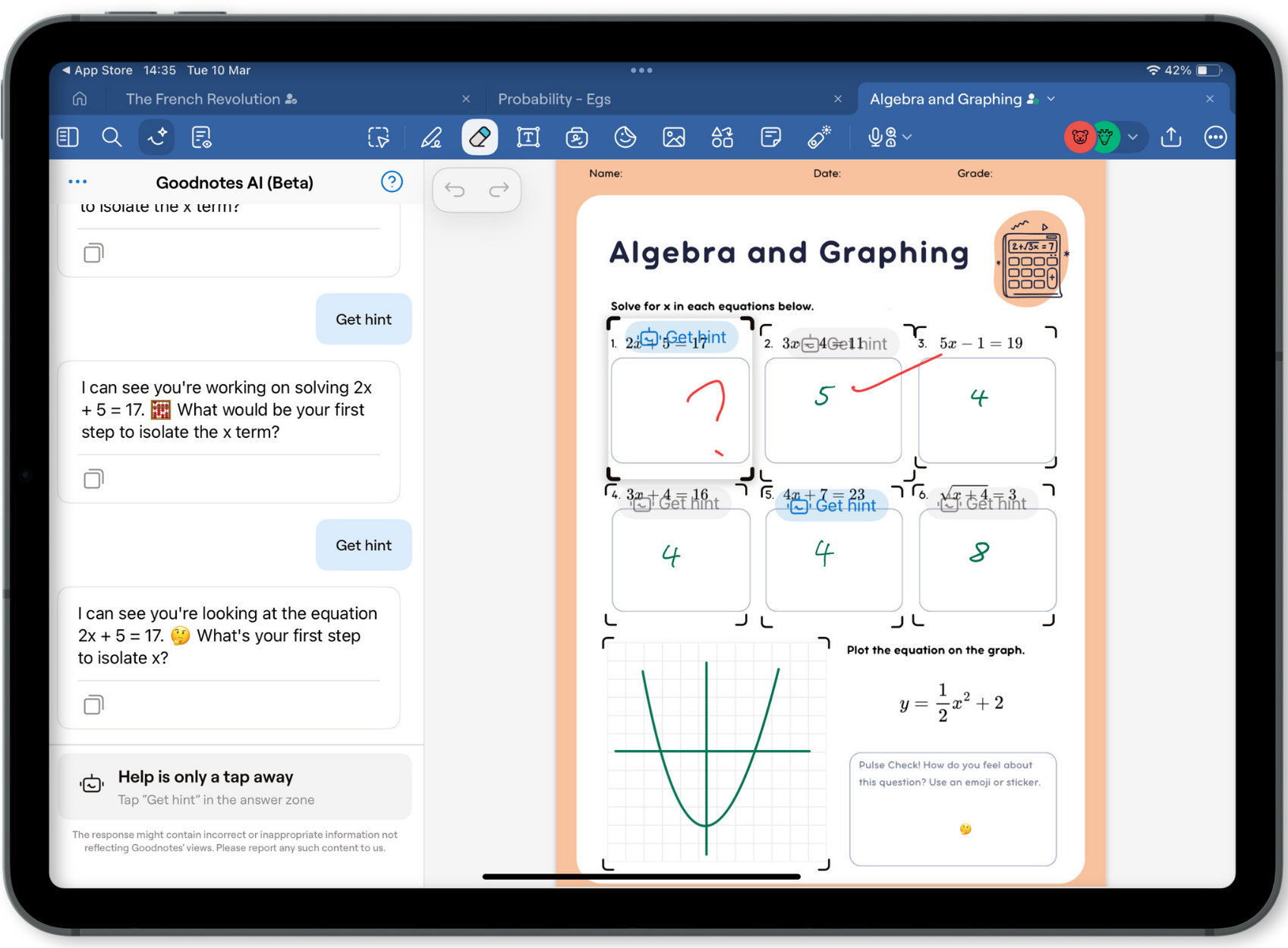
Give your students 24/7 personalized support
Using advanced AI technology, you can give students the option to reveal one hint at a time, based on rubrics that you decide, and the work they've already submitted. See how to use it here.
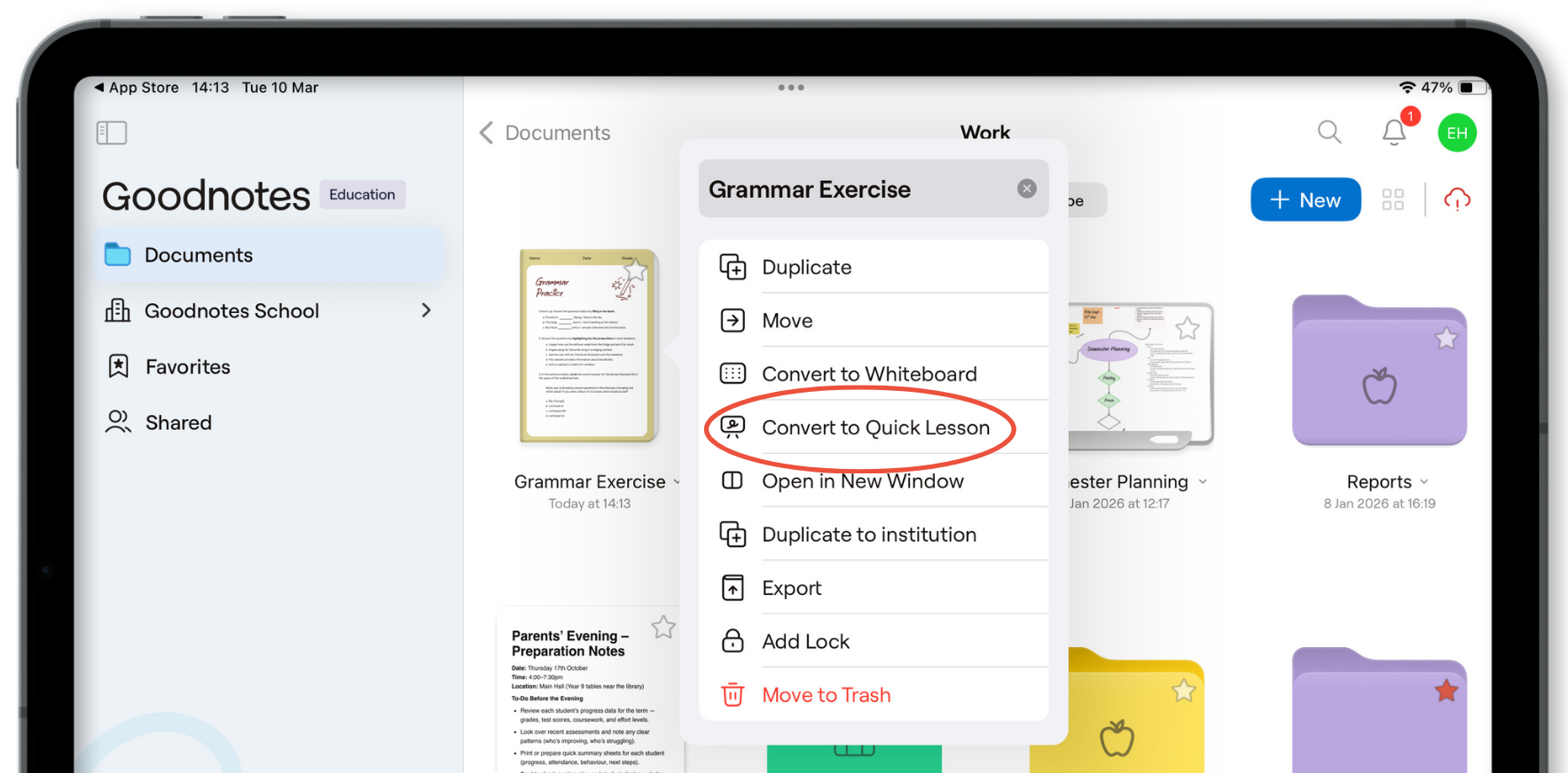
Introducing Quick Lesson
You can now run live lessons and demos without Class Folder limitations. With Quick Lesson, students and teachers can join by scanning a QR code and signing in with their school email, even if they're outside your institution.
That means you can start lessons instantly, demo to colleagues in your own school, or showcase to teachers from other schools - no setup barriers, and no folder restrictions.
Get to grips with Goodnotes Education
Not sure how to make the most of these great features? Head to our new and improved Learning Center for a step-by-step guide.
We hope you like the new features!